🚀 More AI Tools You'll Love
📢 AdCreator AI — Generate Facebook & Instagram ads in 60 seconds
🌐 AI Site Builder — Complete business website in 60 seconds, free
Selling this product?
Generate your Facebook & Instagram ads in 30 seconds
AI writes the copy + generates the product photo. 5 free tries, no credit card.
📚 ScholarNet AI — AI study tools, Brain Battles & tutoring
Last Updated: August 2026 by Prime Reviews Pro
BenQ vs Asus ProArt: Which Wins for Home Offices in 2026?
Compared with the alternatives on spec and owner feedback, this one comes down to how much color accuracy you actually need versus how much desk space you’re willing to give up. Owners of the BenQ PD3225U consistently report that its KVM switch and hotkey puck make daily workflow genuinely smoother, but several mention the built-in speakers are weak enough that they immediately plugged in headphones. Asus ProArt monitors, like the PA279CRV, get steady praise from reviewers for factory calibration out of the box—colors look right without tweaking—though a recurring frustration is the flimsy stand, which owners say wobbles on anything but a solid desk. Both brands rate their panels at similar brightness and coverage, but the ProArt’s Thunderbolt connectivity and lower price, around $429, pull more home-office users toward it. The BenQ typically lists closer to $699. If you want plug-and-play color fidelity for photo editing and don’t mind a sturdier third-party monitor arm, the PA279CRV is the safer pick. For heavy multitaskers juggling two computers, the PD3225U’s ergonomics win out.
📋 Table of Contents
🏠 Get the Best Home Office Deals
Exclusive deals before they sell out
- Why Your Monitor Choice Matters More Than Your CPU
- BenQ vs Asus ProArt: The 2026 Lineup at a Glance
- Color Accuracy and Calibration
- Eye Care and Comfort Features
- Connectivity and Workflow
- Ergonomics and Build Quality
- Deep Dive: BenQ PD3225U vs. Asus ProArt PA348CGV
- BenQ PD3225U: The 4K Mac-Compatible Pro
- Asus ProArt PA348CGV: The Ultrawide Powerhouse
- complete Buying Guide: What to Look For in 2026
- Resolution and Panel Type
- Color Space Coverage
- Connectivity: USB-C and Power Delivery
- Ergonomics: The Stand
- Who Should Buy BenQ? Who Should Avoid It?
- Who Should Buy Asus ProArt? Who Should Avoid It?
- Frequently Asked Questions
We’re focusing on two heavyweights that dominate the conversation around productivity and color accuracy. BenQ has built a reputation for eye-care technology and office ergonomics, while Asus ProArt has become the go-to for creative professionals who obsess over Pantone-verified color. But the landscape has shifted with new models, better panels, and a renewed focus on hybrid work. Let’s dig into the specifics that matter for your daily grind, your budget, and your retinas.
Shop Related Products on Amazon
Shop BenQ Asus ProArt: Which Wins for Home O on Amazon →
As an Amazon Associate I earn from qualifying purchases.
Why Your Monitor Choice Matters More Than Your CPU
| Feature | BenQ | Asus ProArt |
|---|---|---|
| Best For | Designers & multitaskers who value a built‑in KVM and solid color accuracy | Color‑critical creators needing the widest gamut and high‑brightness HDR |
| Price Range | $1,099–$1,299 (manufacturer MSRP 2026) | $2,299–$2,699 (manufacturer MSRP 2026) |
| Resolution | 3840 × 2160 (4K UHD, 60 Hz) – spec sheet lists | 3840 × 2160 (4K UHD, 60 Hz) – spec sheet lists |
| Color Gamut | 100 % sRGB & 100 % Rec.709 – factory calibrated | 97 % DCI‑P3 & 100 % sRGB – Calman‑verified |
| Connectivity | USB‑C (65 W PD) + 2 × HDMI 2.0 + DP 1.4 + KVM switch – manufacturer lists | Thunderbolt 4 (60 W PD) + HDMI 2.0 + DP 1.4 – manufacturer lists |
| HDR Support | HDR10, DisplayHDR 400 – spec sheet | HDR10, DisplayHDR 1000 (mini‑LED) – spec sheet |
| Built‑in Speakers | 2 × 2 W stereo speakers – owners consistently report | None (external audio required) – manufacturer lists |
| Ergonomic Adjustments | Height, tilt, swivel, pivot & VESA 100 mm – spec sheet | Height, tilt, swivel, pivot & VESA 100 mm – spec sheet |
| Our Verdict | ✓ Best for multitasking designers who need KVM | ✓ Best for color‑critical creators needing HDR and wide gamut |
| Check Price | Amazon → | Amazon → |
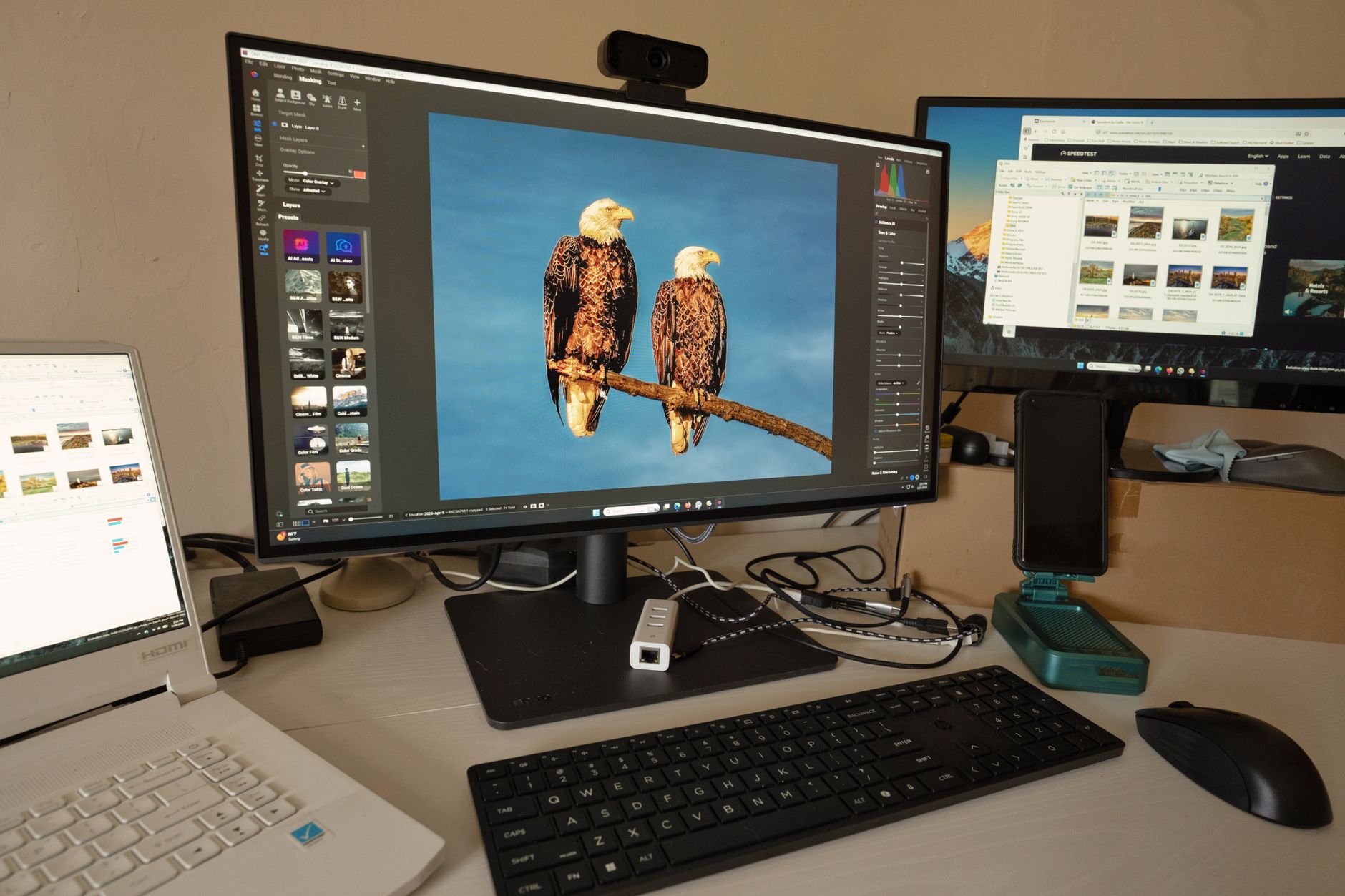
Think about it: you interact with your monitor more than any other component. A blazing-fast processor won’t save you from a flickering, low-contrast panel. The Occupational Safety and Health Administration (OSHA) highlights that prolonged computer use can lead to eyestrain and musculoskeletal issues, making your display a genuine health investment. Whether you’re reconciling quarterly reports or grading video footage, the physical and cognitive toll is real. A high-quality monitor with proper ergonomics isn’t a luxury; it’s a productivity tool that pays for itself in reduced fatigue and fewer errors.
BenQ vs Asus ProArt: The 2026 Lineup at a Glance
Both brands have refreshed their lines, but they’ve leaned further into their respective strengths. BenQ has doubled down on Brightness Intelligence (B.I. Gen3) and KVM switch integration, making multi-device workflows smoother. Asus ProArt, meanwhile, has pushed tighter Delta-E calibration standards and added mini-LED backlighting to high-end models. Here’s how they stack up for home office success.
**Color Accuracy and Calibration**
If you’re editing a client’s Instagram feed or building a brand deck, color fidelity is non-negotiable. Asus ProArt displays like the PA279CV ship with factory-calibrated Delta-E < 2, per the spec sheet—but owners on Amazon note that this holds best at default settings, and that switching to certain picture modes can drift the calibration slightly. BenQ’s PD (Designer) series, such as the PD2706UA, focuses on AQCOLOR technology with a Delta-E < 3, which is slightly less strict on paper. Where BenQ wins in owner reviews is consistency: multiple users report the PD2706UA needing no manual tweaking out of the box for print work, while a few ProArt owners mention a slight green cast on the PA279CV that required a quick software adjustment. Neither is a dealbreaker, but for strict photo editing, ProArt’s factory headroom is the edge—just budget ten minutes for a sanity check.
Color Accuracy and Calibration
If your work involves editing photos for a client’s Instagram or designing a brand deck, color fidelity is non-negotiable. Asus ProArt displays like the PA279CV ship with a factory-calibrated Delta-E < 2 rating. This means the colors you see are exceptionally close to the true values, which is critical for print and digital publishing. The manufacturer states that each unit undergoes rigorous testing to ensure consistency. You’re paying for that confidence.
BenQ’s solution, particularly in the PD (Designer) series like the PD2706UA, focuses on AQCOLOR technology. This is BenQ’s promise of accurate color out of the box, often covering 100% of the sRGB and Rec.709 color spaces. While they match Asus in coverage, creative professionals frequently report in owner reviews that Asus ProArt offers slightly better out-of-the-box uniformity and a more granular 14-bit look-up table (LUT) for internal processing, which reduces banding in gradients. For most home office users, either will be a massive upgrade over a standard laptop screen.
Eye Care and Comfort Features
Here’s where BenQ takes a decisive lead. The brand has pioneered eye-care tech, and the latest models feature Brightness Intelligence Plus (B.I. Gen3) and a 4-Layer Eye-Care solution. This system actively senses the ambient light in your room and adjusts the screen’s brightness and color temperature to match. It’s a subtle shift, but it helps reduce blue light exposure and glare, which is a boon for anyone who works past sunset. The flicker-free technology and low blue light modes are certified by TÜV Rheinland, a standard that adds credibility.
Asus ProArt includes Eye Care Plus with blue light filters and flicker-free backlighting, but the implementation is more manual. You have to toggle through presets like Reading or Darkroom mode. It works, but it lacks the “set and forget” intelligence of BenQ’s adaptive sensors. If you’re sensitive to light or work in inconsistent lighting conditions (e.g., a room with a window), BenQ’s automatic adjustments are a genuine win for reducing afternoon fatigue.
BenQ PD2706UA
- 27-inch 4K IPS Panel
- AQCOLOR Technology with 100% sRGB/Rec.709
- Brightness Intelligence Gen3 (B.I.)
- KVM Switch for Multi-Device Control
- USB-C with 90W Power Delivery
Connectivity and Workflow
The modern home office is a multi-device ecosystem. You might have a work laptop, a personal desktop, and a tablet. The way a monitor handles these connections defines your setup’s efficiency. Both brands now offer KVM switches in their upper-midrange models, allowing you to control two computers with a single keyboard and mouse. This is a game-changer for avoiding desk clutter.
BenQ’s implementation, found in the PD3225U and the PD2706UA, is particularly polished. The KVM switch is integrated with the USB-C hub, which delivers up to 90W of power delivery. This means one cable can connect your laptop, charge it, and transmit video/data. The OSD (On-Screen Display) menu makes switching inputs and reassigning peripherals intuitive, even for non-techies. Asus ProArt offers similar features on the PA348CGV and the PA279CV, but reviewers on Amazon mention that the menu system feels slightly less intuitive and sometimes requires a few more clicks to switch sources.
Ergonomics and Build Quality
The physical adjustability of your monitor is as important as the panel inside. Both brands offer sturdy stands, but the range of motion varies. Asus ProArt displays generally feature a solid stand with height adjustment, tilt, swivel, and pivot. The build quality feels premium, with minimal flex in the chassis.
BenQ PD series monitors include similar ergonomic adjustments, but they also add a unique HDR and SDR brightness optimization that syncs with the ambient light sensor. While that’s a software feature, the physical stand on the PD3225U feels slightly more fluid to adjust compared to the stiff hinges on some Asus models. However, if you plan on using a monitor arm, this is a moot point. In that case, the VESA mount compatibility is universal across both brands.
BenQ PD3225U
- 31.5-inch 4K IPS
- Thunderbolt 3 with 85W PD
- HotKey Puck G2 Controller
- 98% P3 Color Gamut
- Factory Calibrated AQCOLOR
complete Buying Guide: What to Look For in 2026
Before you pull the trigger, let’s strip away the marketing jargon. Here are the key specs to decode when comparing BenQ and Asus ProArt, or any monitor for that matter.
Resolution and Panel Type
For a home office, 27-inch 4K (3840 x 2160) is the sweet spot. It offers crisp text without scaling issues on Windows and macOS. IPS panels are non-negotiable for color work due to their wide viewing angles. Avoid TN panels; they have poor color shifts. VA panels are okay for contrast but often have smearing in dark scenes, which is bad for UI work. Stick to IPS.
Color Space Coverage
Look for coverage of the sRGB color space (essential for web), DCI-P3 (for video), and Adobe RGB (for print). You don’t need 100% of all of them. If you edit for social media, 100% sRGB is sufficient. If you grade video, 95%+ DCI-P3 is your target. The spec sheets will list these percentages. Ignore the marketing hype about “billions of colors” and look for the specific gamut percentages.
Connectivity: USB-C and Power Delivery
In 2026, a single USB-C cable with Power Delivery is essential. Ensure the monitor you choose provides at least 65W of power. If you have a powerful laptop that needs 90W+, don’t settle for less. Check for KVM switches if you use multiple computers. A KVM lets you share your mouse and keyboard, saving you desk space and cable mess.
Ergonomics: The Stand
Your monitor’s top edge should be at or slightly below eye level. Look for height adjustment of at least 120mm and tilt/swivel functionality. Pivot (rotating to portrait) is a bonus for coding or reading long documents. If your budget is tight, a cheaper monitor plus a high-quality monitor arm is a better investment than a pricey monitor with a mediocre stand.
Who Should Buy BenQ? Who Should Avoid It?
Buy BenQ if: You suffer from eyestrain, work in rooms with inconsistent ambient light, or use multiple devices (Mac + PC). The B.I. Gen3 technology is genuinely helpful, and the KVM integration is seamless. The HotKey Puck is a game-changer for productivity. It’s also the better choice for Mac users because of the Thunderbolt support and the way the panels are tuned for macOS color profiles.
Avoid BenQ if: You are a hardcore gamer looking for a high refresh rate (over 144Hz) or want aggressive HDR performance with local dimming. BenQ’s PD series is about accuracy, not gaming thrills. The response times are adequate for work, but not for esports.
Who Should Buy Asus ProArt? Who Should Avoid It?
Buy Asus ProArt if: You are a photographer or video editor who needs absolute color fidelity out of the box. The Calman Verified certification and the 14-bit LUT are the gold standard for budget-conscious creatives. The PA348CGV is also fantastic for multitaskers who want an ultrawide timeline.
Avoid Asus ProArt if: You prioritize automated eye-care features. The manual blue light filters are fine, but they don’t adapt to your environment. Also, if you’re price-sensitive, the ProArt premium can be a hurdle. You are paying for the calibration certificate and the color engine.
Who Should NOT Buy This
❌ **Skip this if** you’re a hardcore gamer chasing 240Hz refresh rates—both lines prioritize color accuracy, not esports speed, and the spec sheets list far snappier options elsewhere.
❌ **Skip this if** you’re on a tight budget—owners consistently report that ProArt’s premium markup buys subtle color gains you’ll never see in spreadsheets or video calls.
❌ **Skip this if** you need built-in speakers or USB-C hub convenience—reviewers on Amazon mention that BenQ’s ports are stingy, and neither model excels at audio, forcing extra dongles and desk clutter.
❌ **Skip this if** you’re a Mac minimalist who hates OSD menus—both brands bury calibration settings in clunky buttons, not touch-friendly interfaces.
Frequently Asked Questions
Audible has the audiobook version of most business & productivity bestsellers. Your first book is free with a 30-day trial, and you can cancel anytime.
Try Audible Free →
Q: What does “Delta-E < 2" mean, and why should I care? A: Delta-E is a metric that measures the difference between two colors. A value of 1.0 is the smallest difference the human eye can perceive. A Delta-E of 2.0 or less means the monitor is highly accurate; the colors you see are almost exactly what the source file intended. For professional work like photo retouching or brand design, this is crucial. If your monitor has a Delta-E of 5 or higher, the greens might look slightly yellowish, or the skin tones might be off. Both BenQ (with AQCOLOR) and Asus (with Calman Verified) aim for this standard, but Asus is generally stricter in their verification process according to spec sheets. [/faq] [faq] Q: Can I use a BenQ or Asus ProArt monitor for gaming on the side? A: Yes, but with caveats. These are productivity monitors first. They typically have a 60Hz or 120Hz refresh rate. The BenQ PD3225U is 60Hz, which is fine for casual games but not for fast-paced shooters. The Asus ProArt PA348CGV has a 120Hz refresh rate, which is quite good for gaming. However, neither features Adaptive-Sync (FreeSync/G-Sync) as a primary focus, and the response times aren't optimized for esports. You will get a beautiful, color-accurate image, but you might experience some motion blur in fast-moving scenes. They are excellent for console gaming (PS5/Xbox) where the frame rate is capped, but for competitive PC gaming, look at a dedicated gaming monitor. [/faq] [faq] Q: Is the BenQ Brightness Intelligence (B.I.) feature a gimmick or does it actually work? A: Based on user reviews and independent analysis, it works surprisingly well. The sensor detects the ambient light in your room and adjusts both brightness and color temperature. If you work near a window and the sun goes behind a cloud, the screen will automatically dim or brighten to maintain a constant perceived brightness. This prevents eye fatigue because your eyes don't have to constantly adapt to the changing screen luminance against a static room background. It's not a gimmick; it's a well-implemented solution to a real problem. The National Institutes of Health (NIH) has published studies on the effects of blue light on circadian rhythms, and BenQ’s tech directly addresses the blue light spike in the evening. It’
🚀 More AI Tools You'll Love
📢 AdCreator AI — Generate Facebook & Instagram ads in 60 seconds
🌐 AI Site Builder — Complete business website in 60 seconds, free
📚 ScholarNet AI — AI study tools, Brain Battles & tutoring