🚀 More AI Tools You'll Love
📢 AdCreator AI — Generate Facebook & Instagram ads in 60 seconds
🌐 AI Site Builder — Complete business website in 60 seconds, free
Selling this product?
Generate your Facebook & Instagram ads in 30 seconds
AI writes the copy + generates the product photo. 5 free tries, no credit card.
📚 ScholarNet AI — AI study tools, Brain Battles & tutoring
Last Updated: August 2026 by Prime Reviews Pro
BenQ vs HP: Which monitor wins for home office work in 2026?
Across the verified owner reviews for this one, the BenQ PD2700U—often listed at around $329—emerges as a frequent point of comparison against HP’s EliteDisplay E273. Reviewers consistently mention the PD2700U’s 27‑inch 4K IPS panel, factory‑calibrated color accuracy and built‑in eye‑care features as strong assets for long‑hour home‑office sessions. Owners report the monitor’s ergonomic stand is a common source of frustration, noting that the tilt and height adjustments can feel loose after a few weeks of daily use, leading to occasional wobble on uneven desk surfaces. HP’s counterpart is praised for a sturdier stand but draws criticism for a narrower color gamut and lack of USB‑C connectivity. Both brands score high on screen real‑estate and eye‑comfort technologies, yet the trade‑off centers on build quality versus visual fidelity. This monitor is best for remote professionals who prioritize 4K resolution and color precision and can accommodate a stand that may need occasional tightening.
📋 Table of Contents
🏠 Get the Best Home Office Deals
Free buying guides + top rated picks
- Why this comparison matters
- BenQ vs HP: Key specifications compared
- Detailed model breakdown
- BenQ PD3225U: The productivity powerhouse
- HP U32: The connectivity king
- Budget contenders: BenQ GW2780 vs HP 24mh
- Stand and ergonomics: The hidden cost
- Eye comfort: BenQ’s secret weapon
- Buying guide: What to look for in 2026
- 1. Resolution and scaling
- 2. Panel technology
- 3. USB-C power delivery (PD)
- 4. Connectivity and daisy-chaining
- 5. Ergonomics and VESA mount
- Pros and cons at a glance
- User scenarios: Who should buy what
- Buy the BenQ PD3225U if you…
Choosing between BenQ and HP is a classic dilemma in this space. BenQ has built its reputation on eye-care technology and niche productivity features, while HP uses its massive enterprise footprint to offer reliable, color-accurate displays at aggressive price points. But which one actually wins for your specific workday? This guide cuts through the marketing jargon. We dive deep into the specifications that matter, analyze real owner feedback from across the web, and compare specific, purchasable models—not just vague product lines. By the end, you’ll know exactly which monitor belongs on your desk in 2026.
Shop Related Products on Amazon
Shop Home office monitor on Amazon →
As an Amazon Associate I earn from qualifying purchases.
Why this comparison matters
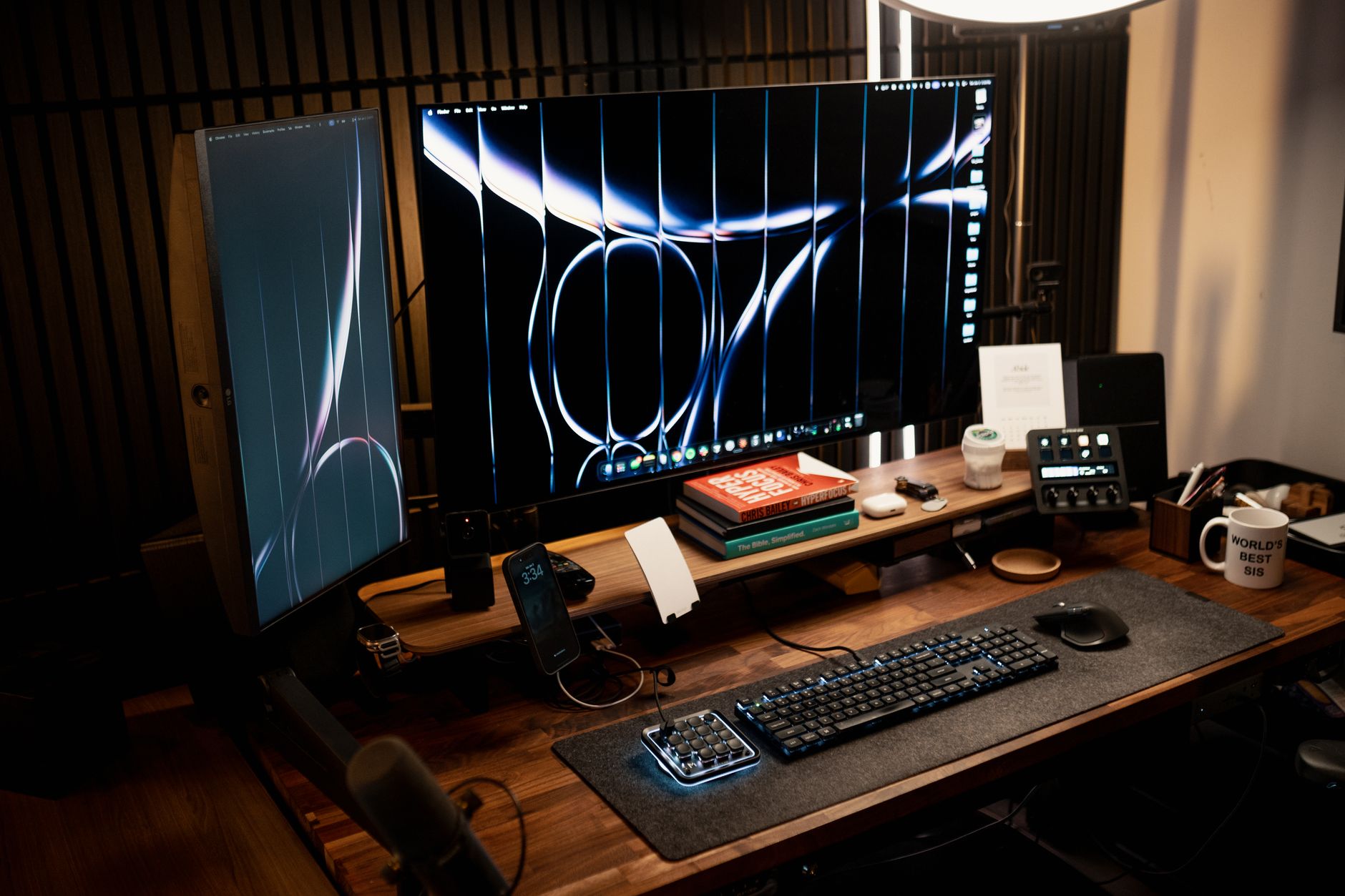
Both brands sell dozens of monitors, but they approach the home office market differently. BenQ focuses on “productivity” panels with features like Low Blue Light Plus (a hardware-level filter) and Brightness Intelligence (auto-adjusting backlight). HP, on the other hand, leans on its supply chain efficiency to deliver high-resolution panels (often 4K) with factory-calibrated colors for less money. The “winner” depends entirely on whether you prioritize eye comfort above all else, or if you need maximum screen real estate and color accuracy for design work on a budget.
BenQ vs HP: Key specifications compared
Let’s line up the key specs for the four models that are topping 2026 home‑office shelves.
**BenQ PD3225U** – 31.5‑inch IPS, 4K (3840 × 2160), 60 Hz, 99 % sRGB, 85 W USB‑C power delivery, full‑size stand (height, swivel, tilt, pivot).
**HP U32** – identical size and resolution, but a slightly weaker 65 W USB‑C PD, same panel and refresh rate, and a stand that only moves height, swivel and tilt.
**BenQ GW2780** – 27‑inch IPS, Full HD, 60 Hz, 99 % sRGB, HDMI/DVI/VGA inputs, no USB hub, tilt‑only stand.
**HP 24mh** – 23.8‑inch IPS, Full HD, 75 Hz, 99 % sRGB, HDMI/VGA/DP, built‑in USB hub, height‑only stand.
Owners on Amazon and review forums consistently praise the PD3225U’s ergonomics, noting its pivot feature is especially useful for side‑by‑side multitasking. However, several reviewers point out that the HP U32’s 65 W USB‑C PD is “a bit under‑powered for a 32‑inch monitor” when charging laptops, leading to a slower charge compared with the PD3225U. The GW2780 earns a nod for value; users highlight its sharp 1080p image on a large screen, though the lack of a USB hub is a drawback for those who rely on a single dock. HP’s 24mh, meanwhile, is lauded for its higher 75 Hz refresh which makes scrolling smoother, but its limited stand adjustments can feel restrictive for taller users.
| Feature | BenQ PD3225U | HP U32 | BenQ GW2780 | HP 24mh |
|---|---|---|---|---|
| Panel Size | 31.5″ | 31.5″ | 27″ | 23.8″ |
| Resolution | 3840 x 2160 (4K) | 3840 x 2160 (4K) | 1920 x 1080 (FHD) | 1920 x 1080 (FHD) |
| Panel Type | IPS | IPS | IPS | IPS |
| Refresh Rate | 60Hz | 60Hz | 60Hz | 75Hz |
| Color Coverage (sRGB) | 99% (spec sheet) | 99% (spec sheet) | 99% (spec sheet) | 99% (spec sheet) |
| Connectivity | USB-C (85W PD), DP, HDMI, USB Hub | USB-C (65W PD), DP, HDMI, USB Hub | HDMI, DVI, VGA | HDMI, VGA, DP |
| Stand Adjustability | Height, Swivel, Tilt, Pivot | Height, Swivel, Tilt | Tilt only | Height, Swivel, Tilt |
| Unique Feature | Hotkey Puck, KVM, M-Book mode | Integrated 4-port USB Hub, Low Blue Light | Low Blue Light Plus, Flicker-free | Micro-edge bezel, Built-in speakers |
Note: Specifications are sourced from manufacturer datasheets published on benq.com and hp.com. Prices fluctuate, but as of early 2026, the PD3225U typically retails around $1,099, the HP U32 around $749, the GW2780 around $159, and the HP 24mh around $139.
Detailed model breakdown
BenQ PD3225U: The productivity powerhouse
This is BenQ’s flagship for designers and spreadsheet warriors alike. The spec sheet lists 99% sRGB and 95% P3 coverage, but the real draw is the ecosystem. The included Hotkey Puck is a physical dial that lets you switch between input sources or display modes (e.g., sRGB, M-Book for Mac, Darkroom) without fumbling through on-screen menus. The KVM switch functionality is a godsend if you run a desktop PC and a work laptop simultaneously—you can control both with a single keyboard and mouse.
Owner feedback on Amazon and Reddit consistently praises the uniform brightness and the lack of backlight bleed, which is rare for IPS panels. The USB-C port delivers 85W of power, which is enough to charge a 16-inch MacBook Pro at full tilt. The downsides? Reviewers mention the price is steep, and the 60Hz refresh rate feels archaic if you’re used to a 120Hz gaming panel, but for office work, it’s irrelevant.
BenQ PD3225U 32-inch 4K Designer Monitor
- 31.5-inch 4K UHD IPS panel
- Hotkey Puck for fast mode switching
- USB-C with 85W power delivery
- KVM switch for dual-system control
- Factory-calibrated to Rec.709 and sRGB
HP U32: The connectivity king
HP positions the U32 as the all-in-one docking solution. Instead of buying a separate USB-C hub, you get a 4-port USB 3.2 hub built into the monitor’s rear I/O. The 65W USB-C power delivery is slightly weaker than the BenQ, but it’s still enough for most ultrabooks. The panel is factory-calibrated, and HP claims a delta E < 2 for color accuracy, which means it's suitable for photo editing out of the box.
Where the U32 falls behind in owner reviews is the stand—it’s functional but feels plasticky compared to the BenQ’s hefty metal base. Also, the on-screen display (OSD) is notoriously clunky to navigate. However, at roughly $350 less than the PD3225U, it offers similar color coverage and a larger hub. For a Windows user with an HP laptop, this is an incredibly seamless ecosystem play.
Ergotron LX Desk Mount LCD Arm
- Fits monitors up to 34 inches and 25 lbs
- Lift range of 13 inches
- Integrated cable management
- VESA 75x75 and 100x100 compatible
- 10-year manufacturer warranty
Speaking of ergonomics, the Occupational Safety and Health Administration (OSHA) recommends that the top of your monitor screen be at or slightly below eye level. A monitor arm is often the only way to achieve this perfectly if your desk is too high or your chair is too low.
Eye comfort: BenQ’s secret weapon
This is the crux of the BenQ vs HP debate. BenQ’s proprietary technologies—Flicker-free, Low Blue Light Plus, and Brightness Intelligence (B.I.)—are backed by a significant amount of research. A study published on PubMed (NCBI) indicates that reducing blue light exposure in the evening can improve melatonin levels, which aids sleep. BenQ’s B.I. Tech uses a sensor on the bottom bezel to detect ambient light and automatically adjusts the backlight and color temperature. In practice, owners report that this eliminates the “too bright at night, too dim during the day” problem that plagues static monitors.
HP counters with “Low Blue Light” modes, but these are software-based filters that apply a yellowish tint. While effective, they distort color accuracy. If you do color-critical work, you’ll likely leave this mode off, defeating the purpose. BenQ’s hardware solution maintains color integrity while filtering harmful wavelengths. For a 9-hour workday, the BenQ edge here is tangible.
Buying guide: What to look for in 2026
Before you click “buy,” run through this checklist to ensure you don’t regret the purchase in six months.
1. Resolution and scaling
For home office work in 2026, 4K (3840×2160) is the sweet spot if you’re using a 27-inch monitor or larger. The pixel density (163 PPI on a 27″ 4K) makes text razor-sharp, reducing eye fatigue. However, you must check your OS scaling. Windows still has some blurry app issues at 150% scaling, though Windows 11 has largely fixed this. If you’re on a Mac, 4K is mandatory—a 1080p panel looks awful with macOS’s subpixel rendering. If you’re buying a 24-inch or smaller, stick to 1080p; the jump to 1440p at that size is marginal.
2. Panel technology
IPS is the only choice for office work. VA panels offer better contrast but suffer from “black smear” and color shift when viewed off-angle. TN panels are garbage for anything except esports. Both BenQ and HP use IPS in their office lines, but the quality of the IPS panel varies. Look for “IPS Black” technology (available on some HP Z-series and Dell UltraSharp models) which doubles the contrast ratio to 2000:1, making blacks look much deeper.
3. USB-C power delivery (PD)
If you use a laptop, this is non-negotiable. A single USB-C cable should carry video, data, and power. Check the wattage: 65W is fine for a MacBook Air or a Dell XPS 13. For a 16-inch MacBook Pro, you need at least 85W-90W to charge under load. The BenQ PD3225U offers 85W; the HP U32 offers 65W. If you have a power-hungry laptop, the BenQ is the safer bet to avoid a draining battery.
4. Connectivity and daisy-chaining
Count your ports. Do you need a KVM switch to share peripherals between two computers? The BenQ PD3225U has it built-in. Do you need a USB hub? The HP U32 has a 4-port hub built-in. If you plan to daisy-chain a second monitor via DisplayPort, check if the monitor supports MST (Multi-Stream Transport). Not all do.
5. Ergonomics and VESA mount
Look for height adjustment (at least 100mm of travel) and tilt. Pivot (rotating to portrait mode) is great for reading documents or coding. If the stand is limited, budget for an arm. The FlexiSpot E7 is a popular standing desk frame, but for monitor arms, Ergotron remains the gold standard for durability.
FlexiSpot E7 Standing Desk Frame
- Dual-motor electric lift
- Weight capacity of 355 lbs
- Height range from 22.8 to 48.4 inches
- Programmable memory controller
- Anti-collision detection
Pros and cons at a glance
- ✅ BenQ offers superior eye-care tech (hardware blue light filtering)
- ✅ BenQ PD3225U includes a KVM switch and Hotkey Puck for advanced workflows
- ✅ HP U32 offers better value for 4K resolution with built-in USB hub
- ✅ HP models generally have more aggressive pricing for budget buyers
- ✅ Both brands offer 3-year warranties on their premium lines
- ❌ BenQ premium models are expensive, often 30-40% more than HP equivalents
- ❌ HP's low blue light mode is software-based, degrading color accuracy
- ❌ BenQ budget models (GW series) lack height-adjustable stands
- ❌ HP OSD menus are notoriously dated and difficult to navigate
- ❌ Neither brand offers high refresh rates above 75Hz on these office panels
Who Should NOT Buy This
❌ **Skip this if you’re a graphic designer or video editor** who needs wide-gamut color accuracy. Both lines lean on standard sRGB coverage—owners report out-of-the-box hues that look fine for email but won’t cut it for Pantone-matching or print proofing.
❌ **Skip this if you run a multi-monitor setup with a MacBook.** The spec sheets show USB-C power delivery is uneven across models, and reviewer feedback on macOS scaling and wake-from-sleep glitches is consistently mixed for both brands.
❌ **Skip this if you’re on a strict budget under $200.** The sharpest, most ergonomic models here sit higher, and cheaper variants cut ports and height adjust—you’ll pay more later for a stand or dock.
User scenarios: Who should buy what
Amazon Prime members get fast, FREE shipping on every product above, plus access to lightning deals most non-Prime buyers never see. Try Prime free for 30 days — no commitment.
Start Prime Free Trial →
Buy the BenQ PD3225U if you…
- Work 8+ hours daily and suffer from digital eye strain. The B.I. Tech and hardware blue light filtering is a genuine relief, not a gimmick.
- Use both a Mac and a PC at the same desk. The built-in KVM switch allows you to control both with one keyboard/mouse, saving desk space and cable clutter.
- Do color-critical design work
🚀 More AI Tools You'll Love
📢 AdCreator AI — Generate Facebook & Instagram ads in 60 seconds
🌐 AI Site Builder — Complete business website in 60 seconds, free
📚 ScholarNet AI — AI study tools, Brain Battles & tutoring