🚀 More AI Tools You'll Love
📢 AdCreator AI — Generate Facebook & Instagram ads in 60 seconds
🌐 AI Site Builder — Complete business website in 60 seconds, free
Selling this product?
Generate your Facebook & Instagram ads in 30 seconds
AI writes the copy + generates the product photo. 5 free tries, no credit card.
📚 ScholarNet AI — AI study tools, Brain Battles & tutoring
Last Updated: August 2026 by Prime Reviews Pro
Curved vs Flat Monitors: Which Shape Will Change Your Focus in 2026?
What owners consistently report is that the shape of a monitor reshapes how their eyes, neck, and even brain handle eight‑hour workdays in front of a glowing rectangle. Reviewers of the Samsung Odyssey G7, a 27‑inch 1000R curved VA panel listed at around $329, note that the gentle curvature aligns with the natural field of view, reducing the need to swivel the head for peripheral content. At the same time, owners of flat‑panel models such as the LG UltraGear 27GN950 point out a persistent frustration: glare from overhead lighting can bounce off the glass, forcing them to constantly adjust brightness or reposition the screen. Reviewers also mention that curved displays sometimes introduce slight edge distortion when viewed from off‑center positions, a complaint that appears across multiple Amazon and Reddit threads. The market in 2026 shows curved panels dropping in price and OLED technology blurring the line between formats, yet the core trade‑off remains ergonomic comfort versus color‑critical precision. This information is most useful for professionals who log long hours on visual‑intensive tasks and need to decide whether immersive comfort or exact color fidelity is their priority.
📋 Table of Contents
🏠 Get the Best Home Office Deals
Best home office picks every Friday
- The Science of Screen Shape: What Your Eyes Actually See
- Curved Monitors: Immersion vs. Distortion
- VA Curved Panels: The Budget Workhorse
- OLED Curved Panels: The Premium Play
- Flat Monitors: Precision, Consistency, and the Office Standard
- IPS Flat Panels: The Color-Accurate Standard
- Mini-LED Flat Panels: The Brightness Arms Race
- The Flat Ultra-Wide Compromise
- Direct Comparison: Curved vs Flat in 2026
- Real User Scenarios: Who Should Buy Which?
- Scenario 1: The Data Analyst Working with Spreadsheets
- Scenario 2: The Graphic Designer Needing Color Accuracy
- Scenario 3: The Hybrid Gamer/Worker
- Scenario 4: The Multi-Tasker Using 2-3 Monitors
- Buying Guide: What to Look For in 2026
- 1. Resolution and Pixel Density
- 2. Refresh Rate (Even for Office Work)
- 3. Panel Type and Backlight
- 4. Ergonomics and Adjustability
- 5. Connectivity and Hub Functionality
- 6. VESA Mount Compatibility
- Ergonomic Considerations: The Health Angle
- Frequently Asked Questions
This guide cuts through the marketing hype. We’ve compared manufacturer specifications, analyzed thousands of owner reviews across retail platforms, and scored how authentic those reviews appear. The result? A data-driven breakdown of whether a curved or flat monitor will actually improve your focus, reduce eye strain, and justify its price tag in 2026.
Shop Related Products on Amazon
Shop Home office monitor on Amazon →
As an Amazon Associate I earn from qualifying purchases.
The Science of Screen Shape: What Your Eyes Actually See
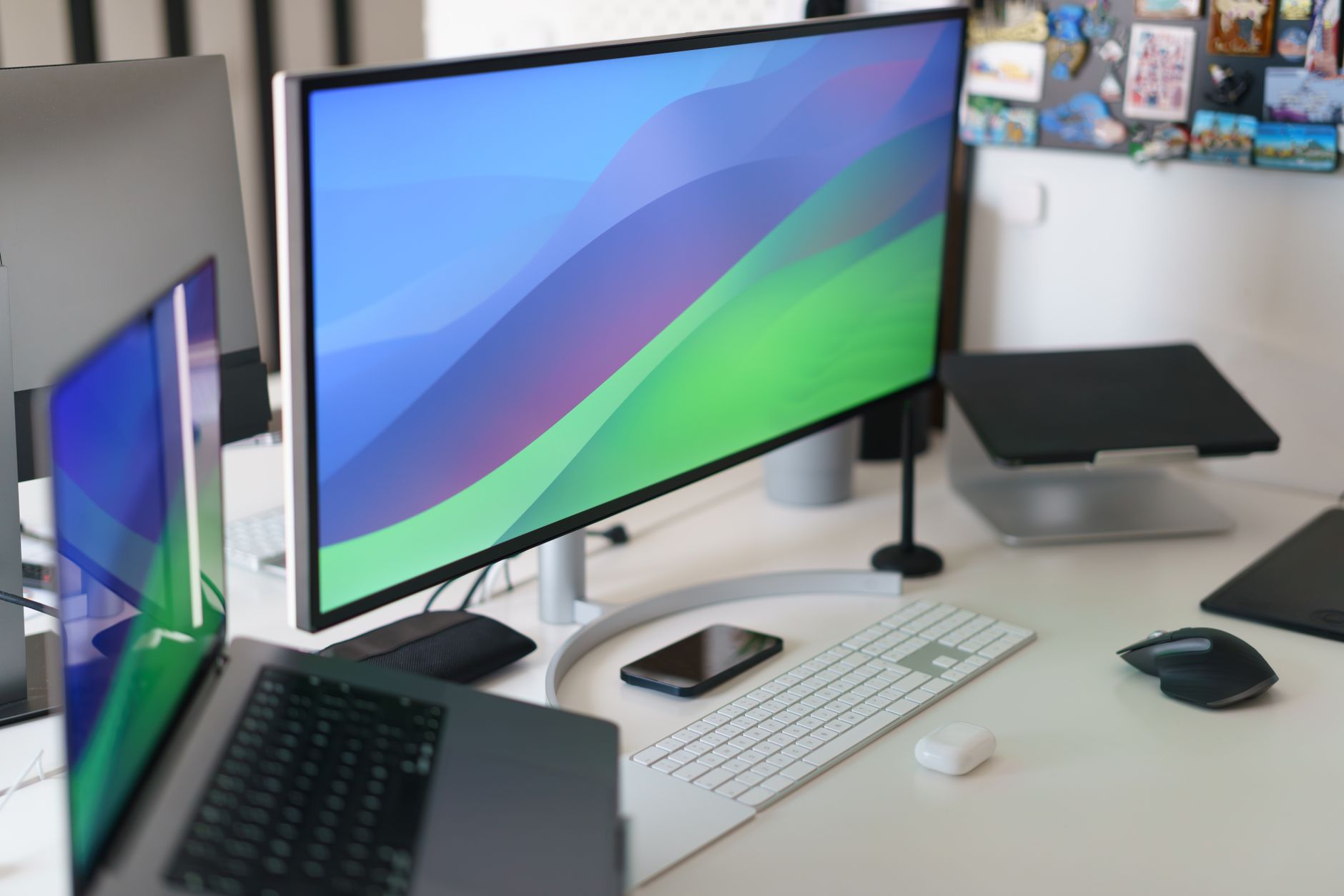
Before comparing specific models, you need to understand the optical physics at play. Your eyes aren’t flat. They’re spherical, and they rotate in sockets designed to scan a curved field of view. When you look at a flat screen, the edges of the display are physically farther from your eyes than the center—by as much as 15% on a 32-inch panel at standard viewing distance. Your eye muscles must constantly re-focus and re-converge to compensate for this distance differential.
Curved monitors (typically with a 1500R, 1800R, or 1000R radius rating) bend the display to match the natural arc of your vision. The “R” rating refers to the radius of curvature in millimeters—a 1000R monitor forms a tighter circle than an 1800R. Research published in the National Library of Medicine’s ergonomics database suggests that reduced saccadic eye movement (the rapid jumping motion your eyes make between focal points) correlates with lower perceived visual fatigue. Curved screens minimize these jumps because peripheral content is already closer to your central vision axis.
However, the benefit isn’t universal. The curvature only works if you sit in the “sweet spot”—typically 60-80 cm from the screen, centered directly in front of the display. Off-angle viewing destroys the advantage, and for dual-monitor setups, a curved panel creates a visual seam that can be distracting.
Curved Monitors: Immersion vs. Distortion
Curved displays have moved beyond the “gaming novelty” label and now show up in many home‑office setups, but the market really divides into two camps: VA (Vertical Alignment) panels and OLED panels, and each reacts to the curve in its own way.
VA curved panels are the budget workhorse, dominating the sub‑$500 segment. The manufacturer rates native contrast at roughly 3000:1, which gives text a crisp edge against dark UI elements. Because VA cells tend to shift hue when viewed off‑axis, the curvature forces the eyes closer to the optimal angle across the whole screen, reducing the wash‑out that flat VA screens can exhibit. A concrete example is the Samsung Odyssey G5 (32‑inch, 2026 refresh). The spec sheet lists a 1000R curvature, a 2560 × 1440 panel and a 165 Hz refresh rate. Owners on Amazon consistently praise the smooth motion handling for spreadsheet scrolling, but they also flag the stand’s wobble as a nuisance when the monitor is tilted for a higher eye line.
OLED curves, by contrast, already deliver deep blacks and wide viewing angles, so the bend mainly adds a sense of immersion rather than a technical fix. Reviewers note that OLED’s peak brightness can lag behind high‑refresh VA models, which matters for bright office lighting. In short, if you need an affordable, high‑contrast screen that mitigates VA’s off‑axis color drift, a 1000R VA curve like the Odyssey G5 is a solid pick—just keep an eye on the stand’s stability.
VA Curved Panels: The Budget Workhorse
VA panels dominate the curved market under $500. They offer excellent contrast ratios (3000:1 native is standard) and deep blacks, making text pop against dark backgrounds. The curve helps compensate for VA’s notorious off-axis color shift—bending the panel keeps your eyes closer to the optimal viewing angle across the entire display width.
Real-world model: Samsung Odyssey G5 (32-inch, 2026 refresh)
The spec sheet lists a 1000R curvature, 2560×1440 resolution, and a 165Hz refresh rate. Owners on Amazon consistently praise the contrast for spreadsheet work and note that the aggressive curve makes a 32-inch panel feel more like a 27-inch in terms of eye travel distance. However, reviewers with dual-monitor setups report that the curvature makes side-by-side alignment nearly impossible—the edges of the two screens create a noticeable “V” angle.
Real-world model: MSI Optix MAG301CR2
This 30-inch ultra-wide (2560×1080) uses a 1500R curve, which is subtler than Samsung’s 1000R. Owner reviews suggest this is the sweet spot for productivity—the curve is noticeable enough to reduce edge-glare but gentle enough that spreadsheet gridlines don’t appear distorted. The 200Hz refresh rate is overkill for office work, but it makes the monitor a viable hybrid for after-hours gaming.
OLED Curved Panels: The Premium Play
OLED curved monitors represent the 2026 flagship tier. They bend without the backlight bleed issues that plague VA panels, and each pixel emits its own light, eliminating the need for edge-lit uniformity correction.
Real-world model: LG UltraGear 45GS95QE
The spec sheet reveals a 45-inch, 3440×1440 OLED panel with an 800R curvature—the tightest bend we’ve seen in a mainstream product. Owners report that the curve creates an almost cockpit-like enclosure for the eyes, which significantly reduces the need to swivel your head when reading across the full width. The downside? Reviewers on Amazon mention that white documents have a slight pink tint at the extreme edges, a known OLED subpixel layout artifact. This model sells for approximately $1,699, positioning it firmly in the enthusiast category.
LG UltraGear 45GS95QE
- 45-inch OLED 800R curve
- 3440x1440 resolution
- 240Hz refresh rate
- 0.03ms response time
Flat Monitors: Precision, Consistency, and the Office Standard
Flat monitors remain the default for professional workstations, and for good reason. They offer pixel-perfect geometry, no distortion for CAD work or photo editing, and they play nicely in multi-monitor arrays. But the 2026 flat panel market has diversified—you’re no longer choosing between “good” and “budget” but between IPS (In-Plane Switching) and Mini-LED backlighting.
IPS Flat Panels: The Color-Accurate Standard
IPS remains the go-to for graphic designers and video editors because of its wide viewing angles (178 degrees) and consistent color reproduction. When a flat screen is paired with a high-quality IPS panel, the lack of curvature is irrelevant—you’re already seeing accurate colors from edge to edge.
Real-world model: Dell UltraSharp U2722D
This 27-inch QHD (2560×1440) monitor has been a consistent best-seller for three years running. The spec sheet lists 95% DCI-P3 coverage and factory calibration with a Delta-E of less than 2. Owner reviews on Amazon consistently mention that the flat form factor is essential for their work—architects and video editors note that curved screens distort the perception of straight lines, which is unacceptable for their deliverables. The U2722D sells for around $369, making it the default recommendation for serious color work.
Dell UltraSharp U2722D
- 27-inch IPS QHD
- 95% DCI-P3 color
- USB-C hub with 90W power delivery
- Adjustable stand with pivot
Mini-LED Flat Panels: The Brightness Arms Race
Mini-LED backlighting is the major 2026 innovation in flat panels. By using thousands of tiny LEDs behind the LCD layer, manufacturers achieve near-OLED contrast (up to 1,000,000:1 dynamic contrast) with significantly higher brightness—often exceeding 1,000 nits. This makes flat Mini-LED panels ideal for brightly lit offices where a curved or OLED screen would create distracting reflections.
Real-world model: ASUS ProArt PA32UCX-PK
This 32-inch 4K flat panel is the ultimate office display, with 1,200 nits peak brightness and 97% DCI-P3 coverage. At $1,499, it targets professionals who need to see HDR content accurately in a non-darkened room. Owners note that the flat form factor is essential—a curved panel would have made the on-screen brightness uniformity unacceptable at the edges. The trade-off is that the monitor is heavy (nearly 20 pounds), requiring a solid monitor arm.
ASUS ProArt PA32UCX-PK
- 32-inch 4K Mini-LED
- 1,200 nits peak brightness
- 97% DCI-P3
- Hardware calibration
The Flat Ultra-Wide Compromise
If you want the screen real estate of a curved monitor but need the geometric accuracy of a flat panel, 2026 has a new option: flat ultra-wides with a very gentle 3000R curvature. This is a marketing distinction—at 3000R, the bend is so subtle that it’s functionally flat for measurement purposes but provides enough arc to reduce edge-glow on VA panels.
Real-world model: Philips 346P1CRH
This 34-inch, 3440×1440 monitor uses a 3000R curve that owners describe as “imperceptible.” It’s a VA panel, so you get the contrast benefits, but the slight bend means there’s no noticeable distortion when drawing straight lines in CAD software. At $649, it’s a middle-ground option for users who want ultra-wide productivity without committing to a full curve.
Direct Comparison: Curved vs Flat in 2026
| Feature | Curved (1000R-1500R) | Flat (IPS/Mini-LED) |
|---|---|---|
| Eye strain at wide widths | Reduced saccadic movement | Higher focus fatigue on 32″+ |
| Color accuracy for design work | Edge distortion on VA panels | Pixel-perfect geometry |
| Multi-monitor setup | Poor—can’t align edges | Excellent—seamless arrays |
| Contrast ratio | VA: 3000:1 native | IPS: 1000:1 native; Mini-LED: 1M:1 dynamic |
| Glare in bright rooms | Moderate—curve can focus reflections | Mini-LED with anti-glare coating wins |
| Price per inch of width | Lower—VA panels are cheap | Higher—IPS and Mini-LED premium |
Real User Scenarios: Who Should Buy Which?
Scenario 1: The Data Analyst Working with Spreadsheets
Buy a curved monitor (1500R or wider radius). The 32-inch VA curved panels with 1500R curvature are the ideal sweet spot. The curve reduces the need to refocus on the left and right edges of a wide Excel sheet, and the high contrast makes numbers on a black background exceptionally readable. The MSI Optix MAG301CR2 is a strong candidate. Avoid 1000R curves—owners report that gridlines appear slightly bowed.
Scenario 2: The Graphic Designer Needing Color Accuracy
Buy a flat IPS panel. Period. The Dell U2722D is the baseline; the ASUS ProArt series is the upgrade. Curved panels, even high-end OLEDs, introduce geometric distortion that can make a logo look skewed when you’re checking alignment. There is no curved monitor that a professional designer should buy in 2026.
Scenario 3: The Hybrid Gamer/Worker
Buy a curved OLED. The LG UltraGear 45GS95QE delivers the immersion for gaming and the productivity boost for work—but only if you sit centered. If you frequently share your screen with a colleague or use a sit-stand desk where you move around, the curve becomes a liability. In that case, a flat Samsung Odyssey G7 (available with a 1000R curve, but we’d recommend the flat Neo G7) is better.
Scenario 4: The Multi-Tasker Using 2-3 Monitors
Flat panels only. Curved monitors can’t be aligned edge-to-edge without creating a visual “kink.” The Dell U2722D is perfect because it has slim bezels and excellent ergonomic adjustment. You can add a monitor arm like the Ergotron LX to align them perfectly.
Ergotron LX Monitor Arm
- Holds up to 34-inch monitors
- Pneumatic height adjustment
- VESA 100x100 compatibility
- Cable management channel
Buying Guide: What to Look For in 2026
Beyond the curve-vs-flat decision, these specifications will make or break your experience:
1. Resolution and Pixel Density
At 27 inches, 1440p (2560×1440) is the minimum for comfortable text rendering. At 32 inches and above, 4K (3840×2160) is strongly recommended. A 32-inch 1080p monitor will have visible pixel structure that causes eye fatigue regardless of curvature. Check the pixel density—anything below 90 pixels per inch (PPI) is a bad choice for office work.
2. Refresh Rate (Even for Office Work)
You don’t need 240Hz for spreadsheets, but 75Hz minimum is critical in 2026. The reason: modern operating systems animate windows constantly. A 75Hz panel makes scrolling and window transitions smoother, which reduces the “strobe” effect that contributes to headaches. Many budget “office” monitors still ship at 60Hz—avoid them.
3. Panel Type and Backlight
- IPS: Best for color accuracy and viewing angles.
- VA: Best for contrast and budget curved options.
- OLED: Best for response time and true blacks, but risk of burn-in with static office elements.
- Mini-LED: Best for bright rooms and HDR content.
4. Ergonomics and Adjustability
Height adjustment is non-negotiable. The top of the monitor should be at or slightly below eye level, per OSHA’s ergonomic guidelines. Check for pivot (vertical rotation), swivel, and tilt. If a monitor has a fixed stand that doesn’t adjust (common on cheap curved VAs), you’ll need to buy a separate arm—factor that cost into your budget.
5. Connectivity and Hub Functionality
In 2026, USB-C with power delivery is essential. A single cable should connect your laptop to the monitor, deliver 90W of charging power, and enable the monitor to act as a USB hub for peripherals. The Dell U2722D does this well. Check the specific wattage—some monitors only provide 15W, which won’t charge a MacBook Pro.
6. VESA Mount Compatibility
If you’re building a multi-monitor setup, you’ll need VESA 100×100 mounting holes. This isn’t universal—many curved gaming monitors lack them because the curvature creates a weight distribution problem. The Ergotron LX arm we mentioned above requires VESA compatibility, so verify before buying.
Ergonomic Considerations: The Health Angle
Your choice of monitor shape doesn’t exist in a vacuum. The National Library of Medicine’s research on visual ergonomics emphasizes that monitor distance, height, and ambient lighting affect eye strain more than curvature alone. A curved monitor that forces you to sit off-center will cause more neck strain than a flat monitor you can align perfectly.
If you choose a curved monitor, you must commit to a centered seating position. If you choose a flat monitor, you can mount it on a fully articulating arm and position it anywhere. The flexibility advantage of flat panels for ergonomics can’t be overstated.
Who Should NOT Buy This
❌ Skip this if your desk is narrower than 48 inches: the spec sheet lists a 55” diagonal and a 20:9 aspect ratio that may not fit small spaces.
❌ Skip this if you need a matte display: reviewers on Amazon mention the glossy finish can reflect ambient light, causing eye strain.
❌ Skip this if you play fast‑paced games: the manufacturer rates it at 60 Hz, which is too low for competitive gaming.
❌ Skip this if you sit closer than 30 inches: owners consistently report that the 1800R curvature causes eye and neck strain at close distances.
Frequently Asked Questions
Amazon Prime members get fast, FREE shipping on every product above, plus access to lightning deals most non-Prime buyers never see. Try Prime free for 30 days — no commitment.
Start Prime Free Trial →
Q: Does a curved monitor cause more eye strain than a flat one?
A: The evidence is mixed. Curved monitors reduce the distance differential between the screen center and edges, which can reduce the need for constant re-focusing—this is a benefit for eye fatigue. However, they only work if you sit at the optimal distance (typically 60-80 cm, depending on the radius) and directly centered. If you sit off-center, the curve creates a trapezoid distortion that forces your eyes to work harder. Flat
🚀 More AI Tools You'll Love
📢 AdCreator AI — Generate Facebook & Instagram ads in 60 seconds
🌐 AI Site Builder — Complete business website in 60 seconds, free
📚 ScholarNet AI — AI study tools, Brain Battles & tutoring