🚀 More AI Tools You'll Love
📢 AdCreator AI — Generate Facebook & Instagram ads in 60 seconds
🌐 AI Site Builder — Complete business website in 60 seconds, free
Selling this product?
Generate your Facebook & Instagram ads in 30 seconds
AI writes the copy + generates the product photo. 5 free tries, no credit card.
📚 Scholarize — AI study tools, Brain Battles & tutoring
Which wins in 2026: Ultrawide monitors or triple‑screen rigs?
Last Updated: September 2026 by Prime Reviews Pro
📋 Table of Contents
Shop Related Products on Amazon
Shop Home office monitor on Amazon →
As an Amazon Associate I earn from qualifying purchases.
- The core tradeoff: one big curve vs. three flat panels
- Ultrawide monitors in 2026: the current state of play
- Samsung Odyssey OLED G9 (G93SC) — the flagship pick
- Dell UltraSharp U4924DW — the productivity workhorse
- Budget ultrawide: the 34-inch tier
- Triple-screen rigs in 2026: still the pixel king
- The bezel problem, quantified
- Head-to-head comparison table
- Ergonomics: what the research actually says
- The buying guide: what actually matters in 2026
- 1. Resolution and pixel density
- 2. Panel technology
- 3. Refresh rate
- 4. Connectivity and KVM
- 5. Mounting and desk depth
- 6. GPU and port count
- Who should buy which
- Buy an ultrawide if you:
- Buy a triple-screen rig if you:
- Avoid both if you:
- Accessories that matter for either setup
- Pros and cons at a glance
- Frequently asked questions
- Related Articles
Walk into any serious home office in 2026 and you’ll notice something: the single 24-inch monitor is basically extinct. The real question isn’t whether you need more screen real estate — it’s whether that real estate should come as one giant curved panel or three separate displays bolted to a heavy-duty arm. Both camps have loud, loyal defenders. Ultrawide evangelists say a single 49-inch panel kills the bezels and the cable spaghetti. Triple-screen traditionalists counter that nothing beats three discrete displays for raw pixel count and window snapping. We’re not going to pretend there’s a universal winner, because there isn’t. What we can do is lay out the specs, prices, mounting realities, and owner-reported tradeoffs so you can pick the right one for your desk, your GPU, and your neck.
🏠 Get the Best Home Office Deals
Best home office picks every Friday
This guide compares current 2026 model lines, walks through the ergonomics research, and ends with a straight verdict for five common user types. If you’re spending $600 to $2,000 on a workstation, this is the decision worth getting right the first time.
The core tradeoff: one big curve vs. three flat panels
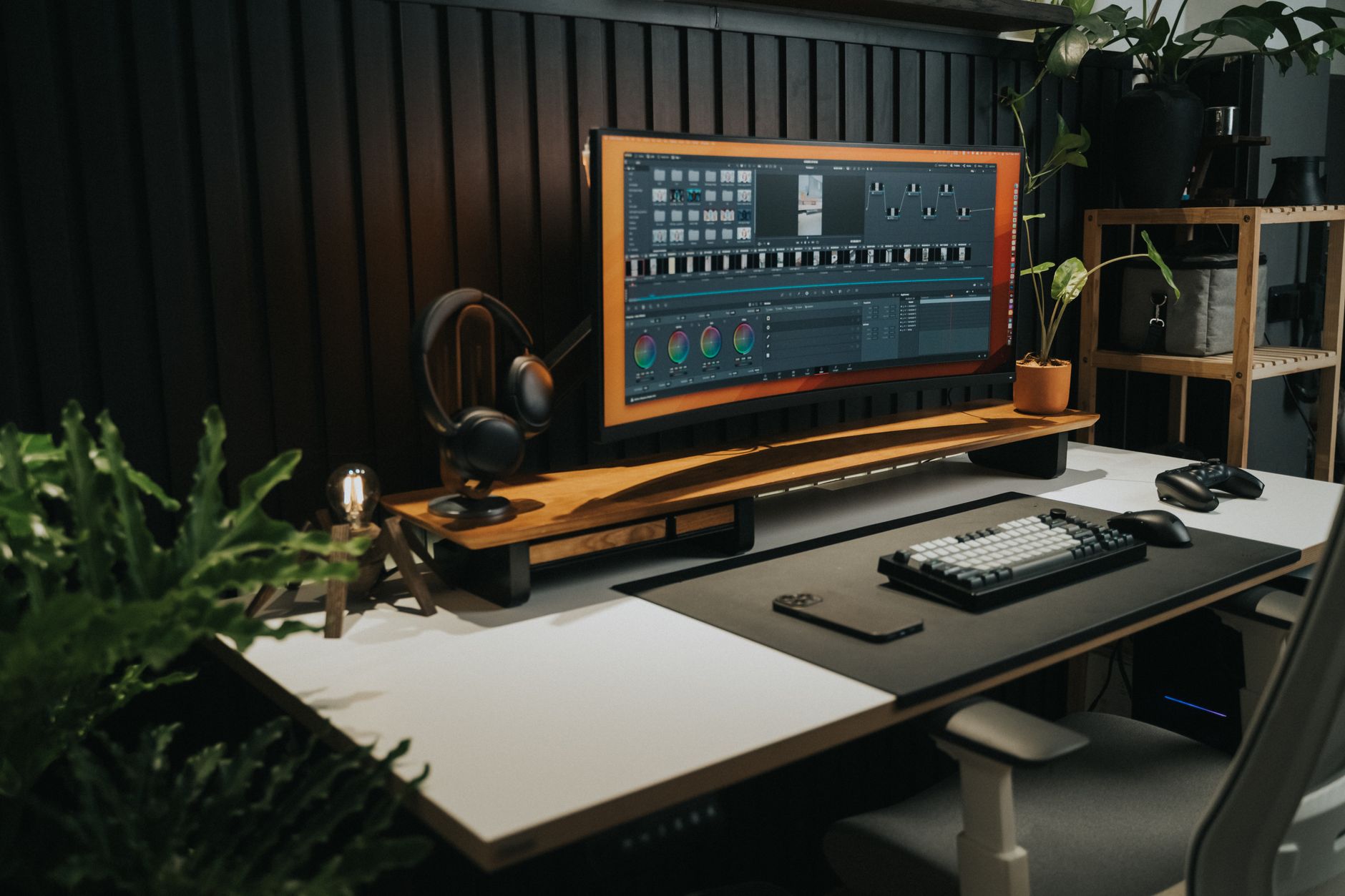
Let’s frame the actual physical difference before we get into model numbers.
A modern ultrawide like the Samsung Odyssey OLED G9 packs a 5120×1440 resolution into a single 49-inch panel with a 1000R curve. That’s roughly equivalent to two 27-inch 1440p monitors sitting side by side, but with zero gap in the middle. A triple-screen rig, by contrast, typically runs three 27-inch 1440p panels (7680×1440 total) or three 24-inch 1080p panels (5760×1080 total). That’s more horizontal pixels than the ultrawide — and more total screen area — but you’re paying for it with bezels, cables, and mounting complexity.
The U.S. Occupational Safety and Health Administration’s computer workstation guidance (osha.gov) emphasizes monitor placement relative to viewing distance and neck posture, not screen count. That’s a useful starting point: neither setup is automatically ergonomic. Both can be positioned badly. The ultrawide’s curve is genuinely helpful for keeping the far edges of a wide panel at a consistent focal distance, while triple-screen users often angle the outer displays inward to achieve the same effect.
Ultrawide monitors in 2026: the current state of play
Ultrawide has matured. The 2026 crop of 49-inch and 45-inch panels has largely moved to OLED or high-refresh QD-OLED, and prices have fallen meaningfully from the 2023–2024 peak.
Samsung Odyssey OLED G9 (G93SC) — the flagship pick
The G93SC is a 49-inch, 5120×1440 QD-OLED with a 1800R curve and a 240Hz refresh rate. The spec sheet lists 0.03ms GtG response and DisplayHDR True Black 400. Owners on Amazon and Reddit consistently praise the color depth and the near-invisible bezel, while frequently flagging two things: OLED burn-in anxiety for static taskbars, and the fact that 5120×1440 at 240Hz demands DisplayPort 2.1 or DSC to hit full refresh.
Samsung Odyssey OLED G9 (G93SC) 49\
- 5120x1440 QD-OLED
- 240Hz refresh rate
- 0.03ms GtG response
- DisplayHDR True Black 400
- 1800R curvature
Dell UltraSharp U4924DW — the productivity workhorse
If OLED burn-in keeps you up at night, Dell’s IPS Black ultrawide is the safer office pick. It runs 5120×1440 at 60Hz with a built-in KVM, USB-C 90W power delivery, and a 5-year warranty. Reviewers note the contrast is meaningfully better than older IPS panels thanks to the IPS Black layer, and the KVM switch means one keyboard and mouse control two machines — a genuine productivity win that triple-screen setups handle less elegantly.
Dell UltraSharp U4924DW 49\
- 5120x1440 IPS Black
- Built-in KVM switch
- USB-C 90W power delivery
- 5-year warranty
- ComfortView Plus
Budget ultrawide: the 34-inch tier
Not everyone needs 49 inches. The 34-inch 3440×1440 category remains the value sweet spot in 2026, with solid IPS options landing under $400. These are essentially a single 27-inch 1440p panel stretched wider — good for a two-window workflow, less good for genuine three-app productivity.
Triple-screen rigs in 2026: still the pixel king
Triple-screen hasn’t stood still either. The big shift is that matching three identical panels is now cheaper than ever, and mounting hardware has improved dramatically. The Ergotron LX arm, for example, is a perennial favorite because it supports independent height, tilt, and pan adjustment per display — which matters enormously when you’re trying to align three panels at eye level.
Ergotron LX Dual Stacking Arm (Tall Pole)
- Supports up to 20 lbs per arm
- Independent tilt/pan/rotation
- 10-year warranty
- VESA 75/100 compatible
- Cable management integrated
A typical 2026 triple-screen build looks like this: three Dell U2722D 27-inch 1440p IPS panels at roughly $300 each, plus a triple monitor arm at $150–$250, plus cables. Total: about $1,100–$1,200. That’s comparable to a single 49-inch ultrawide — but you get 7680×1440 total resolution versus 5120×1440, roughly 50% more horizontal pixels.
Dell U2722D 27\
- 2560x1440 IPS panel
- USB-C 90W power delivery
- 100% sRGB / 95% DCI-P3
- ComfortView Plus low blue light
- 3-year advanced exchange warranty
The bezel problem, quantified
Each U2722D has roughly a 7mm bezel on the sides. In a triple setup, you’re looking at about 14mm of dead space between each panel — 28mm total across two gaps. Whether that bothers you is deeply personal. Traders and video editors who need a continuous timeline often hate it. Developers who keep one window per panel genuinely don’t notice.
Head-to-head comparison table
| Factor | 49″ Ultrawide | Triple 27″ 1440p |
|---|---|---|
| Total resolution | 5120×1440 (7.37M pixels) | 7680×1440 (11.06M pixels) |
| Bezels | None in the working area | ~28mm total across two gaps |
| Cables to desk | 1–2 | 3–6 plus arm hardware |
| Desk depth needed | ~12–18 inches | ~20–28 inches (angled) |
| Typical 2026 cost | $900–$1,400 | $1,000–$1,300 all-in |
| GPU demand | High (single large surface) | High (three outputs, more pixels) |
| Window snapping | Excellent with FancyZones | Native OS edge snapping per panel |
| Failure mode | Whole setup down | Lose one panel, keep working |
Ergonomics: what the research actually says
The National Library of Medicine hosts a substantial body of research on monitor height and neck flexion. A commonly cited finding is that the top of the screen should sit at or slightly below eye level, with the primary viewing area roughly 15–20 degrees below horizontal. This is achievable with either setup — but it’s easier to get wrong with triple screens, because three panels on a single crossbar often force a compromise height.
One practical advantage of the ultrawide: because it’s one continuous surface, the entire display sits at a consistent distance from your eyes if you sit at the center of the curve’s radius. With triple screens angled inward, the outer panels sit slightly farther away unless you deliberately push the center panel back. Neither is a dealbreaker, but if you have existing neck or upper-back issues, a properly positioned single curved panel is the simpler thing to get right. Consult your own physician about your specific situation — this is general information, not medical advice.
The buying guide: what actually matters in 2026
1. Resolution and pixel density
For 27-inch panels, 2560×1440 is the sweet spot — around 109 PPI, which most people find comfortable without scaling. For 49-inch ultrawides, 5120×1440 gives you roughly the same PPI. Avoid 1080p at 27 inches or larger unless budget is the hard constraint; text will look soft.
2. Panel technology
OLED/QD-OLED delivers the best contrast and motion clarity but carries burn-in risk with static UI elements. IPS Black is the current productivity champion — better contrast than standard IPS without burn-in risk. VA panels offer deep blacks cheaply but can show smearing in fast motion.
3. Refresh rate
For office work, 60Hz is fine. If you game or scroll long documents, 120Hz+ is a genuine quality-of-life upgrade. Ultrawides above 120Hz typically require DisplayPort 1.4 with DSC or DisplayPort 2.1.
4. Connectivity and KVM
Count your devices. A built-in KVM (keyboard/video/mouse switch) is a massive convenience if you run a work laptop and a personal desktop. Most ultrawides above $800 include one; triple-screen setups generally require a separate KVM box.
5. Mounting and desk depth
Measure your desk before you buy anything. A 49-inch ultrawide needs at least 47 inches of width. A triple 27-inch rig needs 60+ inches of width and enough depth to angle the outer panels — often 30 inches or more. Monitor arms free up desk space but require a sturdy desk edge or grommet.
6. GPU and port count
Three 1440p panels at 60Hz is roughly 11 million pixels — more than a single 4K display. Confirm your GPU has three free outputs of the right type, and that your laptop dock can drive them. Many USB-C docks top out at two external displays.
Who should buy which
Buy an ultrawide if you:
- Have a shallow desk (under 24 inches of usable depth)
- Want a clean, single-cable setup with no bezels
- Game as well as work, and want one panel to do both
- Use a laptop and desktop and want a built-in KVM
- Hate cable management more than you hate spending money
Buy a triple-screen rig if you:
- Need maximum total pixels (trading, CAD, video editing timelines)
- Already own one or two matching monitors
- Prefer native OS window snapping per display
- Want redundancy — one panel dies, you keep working
- Have a deep desk and don’t mind visible bezels
Avoid both if you:
- Work primarily on a laptop screen and only occasionally dock
- Have a desk under 40 inches wide
- Run a GPU or dock that can’t drive multiple high-res displays
- Have unresolved neck or vision issues — talk to a professional first
Accessories that matter for either setup
A monitor light bar reduces screen glare and eye strain without adding desk clutter. The BenQ ScreenBar is the category standard and clips onto nearly any panel.
BenQ ScreenBar Monitor Light Bar
- Auto-dimming ambient light sensor
- Adjustable color temperature
- USB-powered, no batteries
- Fits monitors up to 1.5\
For desks that need to hold either a 49-inch panel or a triple arm setup, stability is non-negotiable. The FlexiSpot E7 standing desk is rated to 355 lbs and is widely reported by owners to handle heavy monitor configurations without wobble at standing height.
FlexiSpot E7 Standing Desk Frame
Pros and cons at a glance
- ✅ Single continuous surface, no bezels
- ✅ Far fewer cables and simpler mounting
- ✅ Built-in KVM on many models
- ✅ Easier to position ergonomically for neck neutrality
- ✅ Cleaner desk aesthetic
- ❌ Less total pixel area than triple 1440p
- ❌ OLED models carry burn-in risk
- ❌ One failure takes the whole display down
- ❌ High-resolution ultrawides demand strong GPU output
- ❌ Less flexible window-per-panel workflow
Frequently asked questions
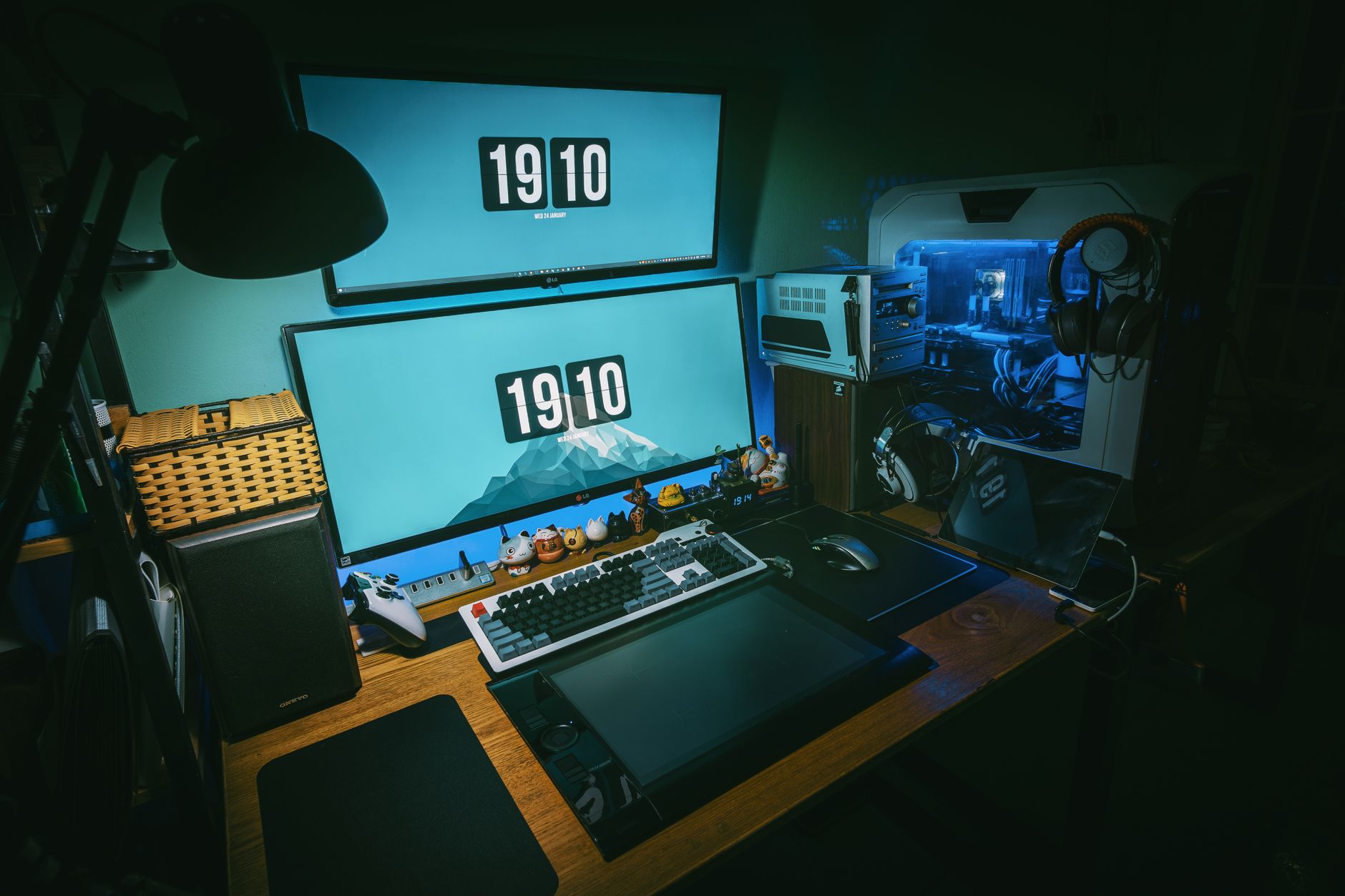
A: Physically, a 5120×1440 ultrawide has the same pixel count as two 2560×1440 panels side by side. In practice, it behaves like one very wide monitor, so operating system window snapping treats it as a single display unless you use tools like FancyZones, DisplayFusion, or PowerToys. Many users find that split-window utilities restore the “two monitors” feel within a week.
Audible has the audiobook version of most business & productivity bestsellers. Your first book is free with a 30-day trial, and you can cancel anytime.
Try Audible Free →Q: Will three 1440p monitors hurt my GPU?
A: Driving three 2560×1440 panels at 60Hz pushes roughly 11 million pixels per frame, which is more than a single 4K display. Modern integrated graphics can handle this for desktop work, but gaming or GPU-accelerated creative work will benefit from a discrete card with three free outputs. Check your GPU’s spec sheet for simultaneous display support before committing.
Q: Do I need a special desk for a triple-screen setup?
A: You need width and depth more than anything special. Budget at least 60 inches of width for three 27-inch panels and 30 inches of depth if you angle the outer displays. A monitor arm clamped to the desk edge frees up the space the stock stands would occupy. If you use a standing desk, check the weight rating — three panels plus arms can exceed 40 lbs.
Q: Can I mix an ultrawide with a second monitor?
A: Yes, and it’s a popular hybrid. Many users run a 49-inch ultrawide as the primary and a 27-inch vertical panel on the side for chat, email, or documentation. This gets you the bezel-free primary workspace plus a dedicated secondary display, often for less than a full triple-screen build.
Q: Which is better for eye strain?
A: Neither is inherently better. Eye strain is driven by brightness matching, viewing distance, blue light exposure, and break frequency more than by screen count. A monitor light bar, consistent brightness across all panels, and the 20-20-20 rule (every 20 minutes, look 20 feet away for 20
🚀 More AI Tools You'll Love
📢 AdCreator AI — Generate Facebook & Instagram ads in 60 seconds
🌐 AI Site Builder — Complete business website in 60 seconds, free
📚 Scholarize — AI study tools, Brain Battles & tutoring