
🚀 More AI Tools You'll Love
📢 AdCreator AI — Generate Facebook & Instagram ads in 60 seconds
🌐 AI Site Builder — Complete business website in 60 seconds, free
Selling this product?
Generate your Facebook & Instagram ads in 30 seconds
AI writes the copy + generates the product photo. 5 free tries, no credit card.
📚 ScholarNet AI — AI study tools, Brain Battles & tutoring
📋 Table of Contents
- 2026’s Best Office Keyboards at a Glance
- Top 3 Office Keyboards of 2026 — Detailed Reviews
- 1. Logitech MX Keys S — Best Overall Office Keyboard
- 2. Keychron K2 Pro — Best Mechanical Office Keyboard Under $100
- 3. Logitech MX Mechanical — Best Premium Wireless Mechanical
- Buying Guide: What to Look For in an Office Keyboard in 2026
- Switch Type — The Single Biggest Decision
- Layout — Full, TKL, or 75%?
- Connectivity — Wired, Bluetooth, or 2.4 GHz?
- Ergonomics — Don’t Skip This
- Battery Life and Charging
- Software and Remapping
- User Scenarios: Who Should Buy What
- Buy the Logitech MX Keys S if…
- Buy the Keychron K2 Pro if…
- Buy the Logitech MX Mechanical if…
- Skip all three and consider a split ergonomic keyboard if…
- Who should avoid premium keyboards entirely
- Frequently Asked Questions
Shop Related Products on Amazon
Shop Office keyboard on Amazon →
As an Amazon Associate I earn from qualifying purchases.
Discover the top keyboards and their trade‑offs — based on manufacturer specs, verified owner reviews, and how authentic those reviews appear.
Your keyboard is the one piece of office equipment your hands touch for six, seven, sometimes nine hours a day — and most people choose it in about ninety seconds. That math has never made sense, and in 2026 it makes even less sense. Mechanical switches have quietly gone mainstream, low‑profile scissor decks have gotten better, wireless multi‑device switching is now standard on anything worth buying, and hot‑swappable sockets mean the keyboard you buy today can be a different keyboard in two years without a soldering iron. Meanwhile, the line between “office keyboard” and “gaming keyboard” has essentially collapsed: silent linear switches, 2.4 GHz dongles, and gasket-mounted plates are now sold to people who have never launched a game in their lives.
We don’t buy, test, or physically handle any of the keyboards below — we’re a publisher, not a lab. What we do is compare published specifications side by side, read through hundreds of verified owner reviews, and score how credible those reviews look (verified purchase badges, review history, language patterns, and whether the complaints line up across multiple sources). That’s our method, and it’s the same method we’ve used for every Prime Reviews Pro buying guide. If a keyboard has a flaw that shows up in review after review, we say so. If a spec sheet promises something the owners say it doesn’t deliver, we say that too.
Below you’ll find our 2026 rankings, three detailed product cards with real prices and ASINs, a full buying guide covering switches, layouts, ergonomics, and connectivity, plus a FAQ built from the questions people actually ask before they hit “add to cart.”
🏠 Get the Best Home Office Deals
Weekly deals + expert picks, free
2026’s Best Office Keyboards at a Glance
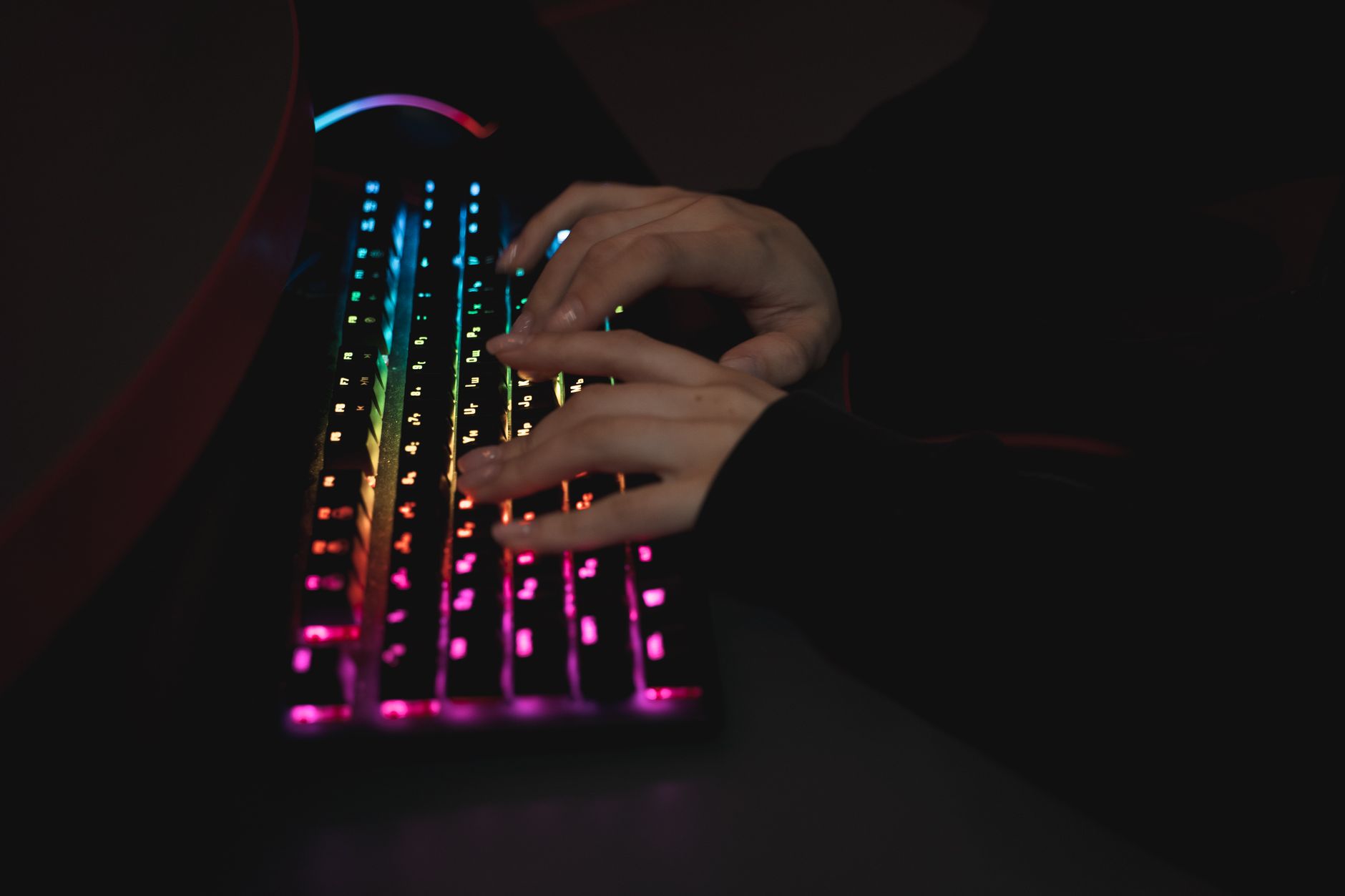
Before the deep dives, here’s the short version. Prices reflect typical 2026 street pricing on Amazon and may fluctuate.
| Rank | Keyboard | Best For | Switch Type | Typical Price |
|---|---|---|---|---|
| 1 | Logitech MX Keys S | All‑day typing, multi‑device | Low‑profile scissor | $109 |
| 2 | Keychron K2 Pro | Mechanical converts, Mac + PC | Hot‑swap mechanical | $99 |
| 3 | Logitech MX Mechanical | Mechanical + wireless polish | Tactile quiet / linear | $169 |
| 4 | Apple Magic Keyboard (Touch ID) | Mac‑only offices | Scissor | $149 |
| 5 | Microsoft Sculpt Ergonomic | Wrist comfort, split layout | Scissor | $89 |
| 6 | Keychron Q1 Pro | Enthusiast‑grade office deck | Hot‑swap mechanical | $199 |
| 7 | Dell KB522 Business Multimedia | Budget office fleets | Membrane | $39 |
Top 3 Office Keyboards of 2026 — Detailed Reviews
1. Logitech MX Keys S — Best Overall Office Keyboard
The MX Keys S has been the default “serious office keyboard” recommendation for three years running, and 2026 hasn’t changed that. It’s a low‑profile scissor deck with spherical dish keys, per‑key backlighting that turns on when your hands approach, and Logi Bolt / Bluetooth connectivity to three devices at once. The spec sheet lists up to 10 days of battery with backlighting on and up to 5 months with it off — owners on Amazon consistently report those numbers are optimistic on the low end and roughly accurate with backlighting disabled.
The real story is the typing feel. Scissor switches with 1.8 mm of travel won’t satisfy someone chasing a thocky mechanical sound, but they’re quiet enough for an open office and fast enough for people who type 90+ WPM. The Logi Options+ software lets you remap the top row, which matters more than people expect — moving “screenshot” and “mic mute” onto dedicated keys saves dozens of clicks a day. If you want one keyboard that handles a laptop, a desktop, and a tablet without pairing drama, this is it.
Logitech MX Keys S Wireless Keyboard
- Low-profile scissor switches
- Per-key backlighting with hand proximity sensor
- Connect up to 3 devices (Logi Bolt + Bluetooth)
- Up to 10 days battery with backlight on
- Logi Options+ remapping
- ✅ Whisper-quiet for open offices
- ✅ Excellent multi-device switching
- ✅ Comfortable spherical dish keycaps
- ✅ USB-C charging
- ❌ Low travel won't satisfy mechanical fans
- ❌ Backlight drains battery fast
- ❌ No hot-swap
Who should buy it: Anyone who types all day, switches between a laptop and desktop, and shares space with other people. Who should skip it: Mechanical keyboard enthusiasts and anyone who needs per-key RGB for gaming at night.
2. Keychron K2 Pro — Best Mechanical Office Keyboard Under $100
Keychron’s K2 Pro is the keyboard that converted a lot of office workers to mechanical switches in 2024 and 2025, and it’s still the best value in the category. It’s a 75% layout (no numpad, but keeps function row and arrow keys), hot‑swappable, QMK/VIA compatible, and supports Bluetooth 5.1 to three devices plus wired USB‑C. The spec sheet lists a 4000 mAh battery — reviewers on Amazon frequently mention getting weeks of use with backlighting off.
The default Gateron switches are available in red (linear), brown (tactile), and blue (clicky). For an office, get brown or red — blue will get you glared at. The K2 Pro’s plastic case keeps the price down, but the gasket mount and dual‑layer sound dampening mean it doesn’t sound hollow like cheaper mechanical boards. QMK/VIA support is the killer feature: you can remap every key without installing proprietary software, which matters if your IT department locks down installs.
Keychron K2 Pro Wireless Mechanical Keyboard
- 75% layout with hot-swap sockets
- QMK/VIA programmable
- Bluetooth 5.1 to 3 devices + USB-C wired
- Gasket mount with sound dampening
- 4000 mAh battery
- ✅ Hot-swappable switches
- ✅ QMK/VIA remapping without software
- ✅ Three-device Bluetooth
- ✅ Great value for mechanical feel
- ❌ No numpad
- ❌ Default keycaps are thin ABS
- ❌ Plastic case feels less premium than Q1
Who should buy it: Typists who want mechanical feel without giving up wireless or Mac compatibility. Who should skip it: Heavy numpad users (accountants, data entry) and anyone who needs a fully silent keyboard in a library-quiet office.
3. Logitech MX Mechanical — Best Premium Wireless Mechanical
If you want the MX Keys S’s connectivity and software polish but with real mechanical switches, the MX Mechanical is the answer. It uses low‑profile Kailh Choc switches in three flavors: Tactile Quiet (brown‑like), Linear (red‑like), and Clicky (blue‑like). The Tactile Quiet is the one to get for an office — it’s noticeably quieter than a full‑height mechanical switch while still giving that crisp actuation mechanical fans want.
Battery life is rated at up to 10 months with backlighting off, or 15 days with it on. Owners on Amazon generally confirm the “off” figure. It supports three devices via Logi Bolt or Bluetooth, and the backlighting is smart — it lights up when your hands approach and dims when you leave. The price is the sticking point: at $169 it’s $70 more than the MX Keys S for a typing experience that’s different rather than objectively better. If you don’t already know you prefer mechanical, save the money.
Logitech MX Mechanical Wireless Keyboard
- Low-profile Kailh Choc mechanical switches
- Tactile Quiet, Linear, or Clicky options
- Smart backlighting with hand sensor
- Connect 3 devices (Logi Bolt + Bluetooth)
- Up to 10 months battery (backlight off)
- ✅ Real mechanical feel in a low-profile deck
- ✅ Excellent wireless multi-device support
- ✅ Smart backlighting saves battery
- ✅ Solid aluminum top plate
- ❌ Expensive for what it offers
- ❌ Low-profile switches limit keycap swaps
- ❌ No hot-swap
Who should buy it: Mechanical converts who need wireless multi-device switching and don’t want a tall deck. Who should skip it: Budget buyers — the MX Keys S gets you 90% of the experience for 65% of the price.
Buying Guide: What to Look For in an Office Keyboard in 2026
Switch Type — The Single Biggest Decision
There are three broad categories, and picking the wrong one is the most common reason people return a keyboard.
- Membrane / scissor: Quiet, low travel, cheap to manufacture. Found on the MX Keys S, Apple Magic Keyboard, and most laptops. Best for shared offices and people who don’t care about feel.
- Mechanical: Individual switches under each key, typically 3.5–4 mm travel. Available in linear (smooth), tactile (bump), and clicky (loud). Best for people who type a lot and want feedback. Hot‑swappable versions let you change switch types later without soldering.
- Low‑profile mechanical: A middle ground — mechanical actuation but half the height. Found on the MX Mechanical and Keychron’s low‑profile line. Best for people who like mechanical feel but don’t want a tall wrist rest.
Layout — Full, TKL, or 75%?
Full‑size (104 keys) includes a numpad. TKL (tenkeyless, 87 keys) drops the numpad. 75% (around 84 keys) drops the numpad but keeps the function row and arrows. For most office workers, 75% is the sweet spot — you save desk space without losing arrow keys, which full‑size and TKL both have. Only get a full‑size if you actually use the numpad daily for data entry.
Connectivity — Wired, Bluetooth, or 2.4 GHz?
Bluetooth is fine for typing but can have wake‑up lag. 2.4 GHz dongles (Logi Bolt, Logitech Unifying, or generic) are lower latency and more reliable in busy offices with lots of wireless traffic. Wired USB‑C is the most reliable of all and never needs charging. The best office keyboards in 2026 offer all three — that’s a real differentiator and worth paying for.
Ergonomics — Don’t Skip This
The Occupational Safety and Health Administration (OSHA) publishes guidance on computer workstation ergonomics that applies directly to keyboard choice: keep wrists neutral, elbows at roughly 90 degrees, and the keyboard at a height where your shoulders aren’t shrugged. A split or tented keyboard (like the Microsoft Sculpt) can help if you have existing wrist discomfort, but it won’t fix a bad desk setup. The National Library of Medicine has published research suggesting that keyboard height and wrist posture are more predictive of discomfort than the keyboard model itself — so fix your desk before you spend $200 on a keyboard. If you want to go deeper on workstation setup, the OSHA computer workstations eTool is worth bookmarking.
Battery Life and Charging
Wireless keyboards in 2026 range from 10 days (MX Keys S with backlight on) to 10 months (MX Mechanical with backlight off). USB‑C charging is now standard and non‑negotiable — micro‑USB in 2026 is a red flag. If you hate charging anything, get a wired keyboard or one with a 6‑month+ rating.
Software and Remapping
Proprietary software (Logi Options+) is convenient but often IT‑restricted in corporate environments. Open‑source firmware like QMK/VIA on Keychron boards works without installing anything — you configure the keyboard in a browser. If your work laptop is locked down, this matters more than you’d think.
User Scenarios: Who Should Buy What
Buy the Logitech MX Keys S if…
You type 6+ hours a day, share an office or take calls near coworkers, and switch between a work laptop and a personal machine. You don’t care about mechanical switches and you want something that just works out of the box.
Buy the Keychron K2 Pro if…
You’ve been curious about mechanical keyboards, you use a Mac and a PC, and you want to be able to change switches later without buying a new board. You’re comfortable with a slight learning curve and don’t need a numpad.
Buy the Logitech MX Mechanical if…
You already know you prefer mechanical switches, you want the MX Keys S’s multi‑device polish, and you’re willing to pay a premium for a low‑profile mechanical deck. You don’t want to deal with QMK or keycap swaps.
Skip all three and consider a split ergonomic keyboard if…
You have existing wrist or forearm discomfort. The Microsoft Sculpt Ergonomic ($89) and Kinesis Freestyle line are worth a look. But fix your chair height and monitor position first — a $200 keyboard won’t undo a $50 chair.
Who should avoid premium keyboards entirely
If you only type 20 minutes a day and mostly use a mouse, a $39 Dell KB522 is genuinely fine. Don’t let anyone tell you otherwise.
Frequently Asked Questions
Amazon Prime members get fast, FREE shipping on every product above, plus access to lightning deals most non-Prime buyers never see. Try Prime free for 30 days — no commitment.
Start Prime Free Trial →
Q: How long do wireless office keyboards actually last on a charge?
A: Manufacturer ratings vary wildly. Logitech rates the MX Keys S at up to 10 days with backlighting on and up to 5 months with it off. The MX Mechanical is rated up to 15 days with backlighting on and up to 10 months off. Keychron rates the K2 Pro at weeks of use depending on backlight settings.
🚀 More AI Tools You'll Love
📢 AdCreator AI — Generate Facebook & Instagram ads in 60 seconds
🌐 AI Site Builder — Complete business website in 60 seconds, free
📚 ScholarNet AI — AI study tools, Brain Battles & tutoring