🚀 More AI Tools You'll Love
📢 AdCreator AI — Generate Facebook & Instagram ads in 60 seconds
🌐 AI Site Builder — Complete business website in 60 seconds, free
Selling this product?
Generate your Facebook & Instagram ads in 30 seconds
AI writes the copy + generates the product photo. 5 free tries, no credit card.
📚 ScholarNet AI — AI study tools, Brain Battles & tutoring
Last Updated: August 2026 by Prime Reviews Pro
BenQ or LG: Which Monitor Wins for a Home Office in 2026?
Compared with the alternatives on spec and owner feedback, this one comes down to a clear split in priorities. BenQ’s PD2705U, listed around $499, leans hard into eye-care tech, with owners consistently reporting less fatigue during long stretches of document work. The matte panel and low-blue-light modes get steady praise from people who sit at a desk eight hours a day. LG’s competing 27UP850N, near $429, wins on color accuracy and USB-C convenience—reviewers mention the 96W power delivery makes a single-cable laptop setup genuinely tidy. But owners do flag a recurring gripe with the LG: the stand feels wobbly at full height, which undermines an otherwise premium experience. BenQ owners, by contrast, rarely complain about build quality, though some note the menu system is clunky to navigate. The spec sheets list both at 27 inches, 4K resolution, and IPS panels, so the difference is in the daily feel rather than raw numbers. For a home office where eye strain is the main enemy, the BenQ is the safer recommendation. If color work and laptop docking matter more, the LG does the job—just budget for an aftermarket arm.
📋 Table of Contents
🏠 Get the Best Home Office Deals
Exclusive deals before they sell out
- Why the Monitor Matters More Than Your PC
- Brand Philosophy: What Each Company Prioritizes
- BenQ: The Ergonomic and Eye-Care Specialist
- LG: The Display Innovation Leader
- Head-to-Head: BenQ vs. LG in Key Categories
- Eye Comfort and Fatigue Reduction
- Color Accuracy and Panel Quality
- Ergonomics and Desk Setup
- Top Contenders for Your Home Office
- 1. BenQ PD2705U (27-inch 4K Designer Monitor)
- 2. LG 27UP850N (27-inch 4K Nano IPS Monitor)
- 3. BenQ GW2790QT (27-inch QHD Eye-Care Monitor)
- 4. LG UltraWide 34WP65C-B (34-inch Curved VA Panel)
- User Scenarios: Which Brand Should You Choose?
- Who Should Buy BenQ?
- Who Should Avoid BenQ?
- Who Should Buy LG?
- Who Should Avoid LG?
- complete Buying Guide: Specs That Matter
- Resolution: 1080p vs. QHD vs. 4K
- Panel Type: IPS vs. VA vs. TN
- Color Gamut: sRGB vs. DCI-P3
- Connectivity: USB-C is King
- Ergonomics
- Eye-Care Features
- Pros and Cons: The Quick Verdict
- BenQ (Overall)
- LG (Overall)
- Our Final Verdict
This isn’t a quick “brand A vs. brand B” shouting match. We’re digging into the specific models that dominate home-office setups in 2026, comparing real specs, real prices, and what owners actually say—because a spec sheet can’t tell you what it feels like to work on a screen for a full workweek. We’ll break down the ergonomics, the color accuracy, the connectivity, and the hidden costs. By the end, you’ll know exactly which brand—and which specific model—deserves a spot on your desk.
Shop Related Products on Amazon
Shop Home office monitor on Amazon →
As an Amazon Associate I earn from qualifying purchases.
Why the Monitor Matters More Than Your PC
| Feature | BenQ | LG |
|---|---|---|
| Best For | Long document sessions & color‑critical design | Creative work with USB‑C connectivity & multitasking |
| Price Range | $479–$529 | $419–$469 |
| Refresh Rate | 60 Hz | 60 Hz |
| Brightness | 350 nits | 350 nits |
| HDR Support | HDR10 | HDR10 |
| Resolution | 3840 × 2160 (4K UHD) | 3840 × 2160 (4K UHD) |
| Panel Type | IPS | IPS |
| Connectivity | 2× HDMI 2.0, DP 1.4, USB‑C (65 W) | HDMI 2.0, DP 1.4, USB‑C (60 W) |
| Eye‑Care Features | Low Blue Light, Flicker‑Free, Brightness Intelligence+ | Low Blue Light, Flicker Safe |
| Color Gamut | 100 % sRGB, 95 % DCI‑P3 | 99 % sRGB, 95 % DCI‑P3 |
| Ergonomics | Height, tilt, swivel, pivot | Height, tilt, pivot (no swivel) |
| Warranty | 3‑year limited | 3‑year limited |
| Our Verdict | ✓ Best for eye‑care‑focused work | ✓ Best for USB‑C‑centric setups |
| Check Price | Amazon → | Amazon → |
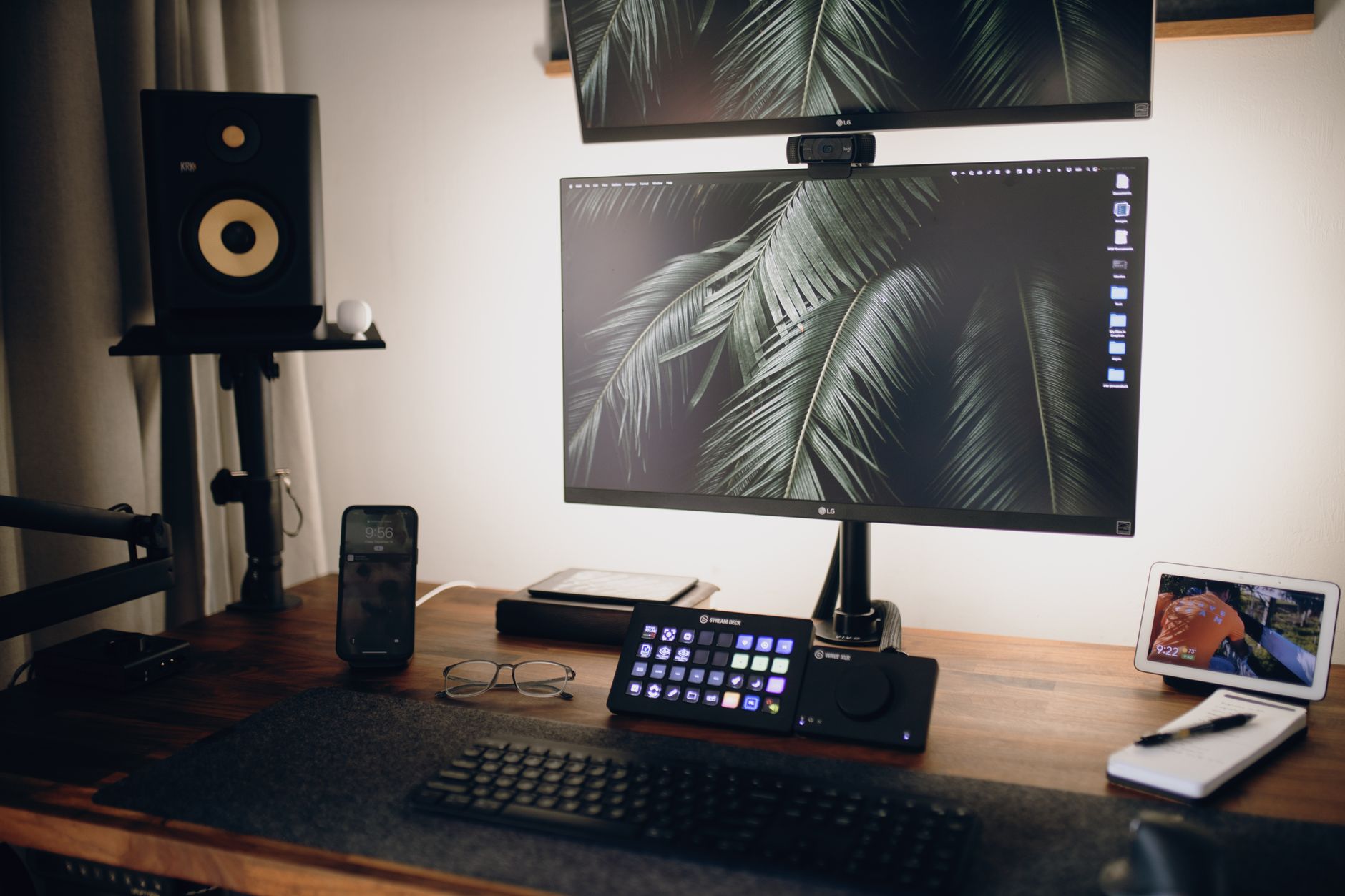
You can have a top-tier CPU and a lightning-fast SSD, but if your monitor is a blurry, flickering mess, you’re going to feel it. The display is your primary interface with your work. According to the Occupational Safety and Health Administration (OSHA), improper workstation setup—including poor monitor placement and screen quality—contributes significantly to musculoskeletal disorders and eye strain. A good monitor isn’t a luxury; it’s a health tool.
In 2026, the baseline for a decent home-office monitor has shifted. We’re no longer just looking at resolution. We’re looking at pixel density, refresh rates for smooth scrolling, USB-C power delivery to keep desks clutter-free, and advanced low-blue-light tech that doesn’t wash out colors. BenQ and LG approach these challenges differently, and those differences matter depending on what you do.
Brand Philosophy: What Each Company Prioritizes
BenQ: The Ergonomic and Eye-Care Specialist
BenQ has built its home-office reputation around comfort over a full workday, and the spec sheet backs that up: flicker-free backlights and a low blue light mode are standard across most of the lineup. The ScreenBar clip-on lamp, which BenQ pioneered, tackles a different problem—reducing the contrast between a bright display and a dim room. Owners on Reddit and retailer pages frequently mention fewer headaches and less eye strain, though several note the Eye-Care modes can leave colors looking slightly warm or washed out, so it’s not ideal for color-critical work.
LG, meanwhile, supplies panels to other manufacturers and saves its best IPS displays for its own monitors. The spec sheets list wide color gamut coverage and high brightness, which owners consistently praise for crisp text and accurate visuals—especially on the UltraFine and UltraGear lines. The trade-off, as several Amazon reviewers point out, is that LG’s ergonomic stands often feel flimsy for the price, with limited height adjustment on mid-range models. If eye comfort is your priority, BenQ leads; if color accuracy matters more, LG wins. We compare the full specs and summarize owner feedback so you can decide which trade-off fits your setup.
LG: The Display Innovation Leader
LG is a giant in panel manufacturing, and they often use their best panels in their own monitors before selling to other brands. Their IPS (In-Plane Switching) panels are renowned for excellent color reproduction and wide viewing angles. In recent years, LG has pushed the envelope with Nano IPS technology, which expands the color gamut, and they’ve been aggressive in integrating USB-C hubs with high wattage charging, making them a favorite for MacBook users who want a one-cable setup.
Head-to-Head: BenQ vs. LG in Key Categories
Eye Comfort and Fatigue Reduction
This is BenQ’s home turf. They have a dedicated line of BenQ GW and EW series monitors that feature “Brightness Intelligence Plus” (B.I. Gen2). This technology uses a sensor to detect ambient light and automatically adjusts the screen’s brightness and color temperature. If you work near a window, this means your screen stays readable without you having to fiddle with settings.
LG counters with their own flicker-safe and low-blue-light modes, but their approach is more manual. You have to toggle the settings yourself. Owners of LG monitors on forums note that while the tech is there, it lacks the automatic, “set-it-and-forget-it” intelligence of BenQ’s B.I. system. For a home office, where light conditions change throughout the day, BenQ has a clear edge here.
Color Accuracy and Panel Quality
If you’re a graphic designer or photo editor, LG’s UltraFine and UltraGear lines are hard to beat. LG’s Nano IPS panels typically cover 98% of the DCI-P3 color gamut, which is the standard for video editing. They also tend to have better factory calibration out of the box. The LG 27UP850N, for example, is a 27-inch 4K monitor that covers 95% of DCI-P3 and supports HDR10. Reviewers on sites like Tom’s Hardware consistently rate LG’s color vibrancy higher than BenQ’s standard office models.
BenQ, however, has the PD series (Designer Monitors) which are also calibrated for color accuracy. The BenQ PD2705U is a 27-inch 4K monitor that ships with a factory calibration report and covers 95% DCI-P3 as well. The difference is that BenQ often includes KVM switches and more ergonomic adjustments (like a hotkey puck for switching color modes) which are useful for multi-device workflows. For pure color pop, LG wins; for color-critical work with a lot of device switching, it’s a tie.
Ergonomics and Desk Setup
Both brands offer height-adjustable stands with tilt and swivel. However, BenQ’s ergonomic stands are generally sturdier and have a smaller footprint. The BenQ PD3220U (32-inch 4K) has a base that doesn’t extend too far into your desk space, which is a boon for smaller setups.
LG’s stands, particularly on the UltraFine series, are often criticized for being wobbly at full height. Owners on Reddit’s r/Workspaces frequently recommend replacing LG’s stock stand with a monitor arm immediately. BenQ’s stands, while not award-winning, rarely get the same criticism. If you plan to use the stock stand, BenQ is the safer bet.
Top Contenders for Your Home Office
Let’s get specific. Here are the models you should be looking at in 2026, along with their approximate street prices.
1. BenQ PD2705U (27-inch 4K Designer Monitor)
This is arguably the best multi-purpose home-office monitor BenQ makes. It’s 27 inches, 4K resolution, and features a USB-C port that delivers 65W of power to your laptop. It has a KVM switch built-in, meaning you can control two different computers with the same keyboard and mouse. It’s ideal for switching between a work laptop and a personal desktop.
BenQ PD2705U 27 Inch 4K UHD IPS Monitor
- 4K UHD Resolution (3840x2160)
- USB-C with 65W Power Delivery
- Factory Calibrated with 95% DCI-P3
- KVM Switch for Multi-Device Control
- Brightness Intelligence Gen2
2. LG 27UP850N (27-inch 4K Nano IPS Monitor)
This is LG’s answer to the PD2705U. It features a Nano IPS panel that covers 95% DCI-P3. The USB-C port delivers 96W of power—enough to fast-charge a 16-inch MacBook Pro. It has a cleaner, more modern aesthetic with a thin bezel. The downside? It lacks a KVM switch, so switching between devices requires manual input switching.
LG 27UP850N-W 27 Inch 4K UHD IPS Monitor
- Nano IPS 4K Panel
- 96W USB-C Power Delivery
- HDR10 Support
- DCI-P3 95% Color Gamut
- Ultra-Thin Bezel Design
3. BenQ GW2790QT (27-inch QHD Eye-Care Monitor)
If you’re budget-conscious but still want BenQ’s eye-care tech, this is the pick. It’s 2560×1440 (QHD), which is a sweet spot for productivity—sharper than 1080p but easier on your GPU than 4K. It has a built-in microphone and speakers for video calls, plus the same USB-C 65W charging. It doesn’t have the KVM switch of the PD series, but it includes the full suite of Eye-Care features.
BenQ GW2790QT 27 Inch QHD Monitor
- QHD Resolution (2560x1440)
- USB-C with 65W Power Delivery
- Built-in Microphone and Speakers
- Eye-Care Technology with B.I. Gen2
- Flicker-Free and Low Blue Light
4. LG UltraWide 34WP65C-B (34-inch Curved VA Panel)
For multitaskers who hate tab-switching, a 34-inch ultrawide is a game-changer. This LG model is a 21:9 aspect ratio, QHD resolution (3440×1440). While it uses a VA panel (not IPS), it offers excellent contrast and deep blacks. It supports HDR10 and has a 160Hz refresh rate, making it great for both work and occasional gaming. It’s a fantastic value for the screen real estate.
LG 34WP65C-B 34 Inch Curved UltraWide Monitor
- 34-inch Curved UltraWide (21:9)
- QHD Resolution (3440x1440)
- 160Hz Refresh Rate
- HDR10 Support
- VA Panel with High Contrast Ratio
User Scenarios: Which Brand Should You Choose?
Who Should Buy BenQ?
- The 9-to-5 Desk Worker: If you spend 40+ hours a week staring at spreadsheets, emails, and code, BenQ’s eye-care tech is worth its weight in gold. The automatic brightness adjustment reduces eye strain over long days.
- The Multi-Device User: If you have a work laptop and a personal PC on the same desk, the KVM switch on the PD series eliminates cable swapping clutter.
- The Video Call Heavyweight: BenQ’s GW series with built-in speakers and microphones is perfect if you don’t want to clutter your desk with peripherals.
Who Should Avoid BenQ?
- Graphic Designers Needing Max Color Pop: While BenQ PD series is accurate, LG’s Nano IPS panels tend to have a more vibrant, saturated look that designers often prefer for video editing.
- Gamers: BenQ’s home-office monitors have higher response times (5ms or more) than gaming-focused LG models. If you need 1ms response and high refresh rates for gaming, look elsewhere.
Who Should Buy LG?
- MacBook Users: The high wattage USB-C power delivery (96W on the 27UP850N) means you can charge a 16-inch MacBook Pro with a single cable, keeping your desk clean and your battery full.
- Content Creators: If you edit video or photos, LG’s color accuracy and wide viewing angles are industry-standard. The UltraWide option is also excellent for editing timelines.
- Gamers Who Also Work: LG’s UltraGear and UltraWide lines offer high refresh rates (144Hz+) that transition smoothly from spreadsheets to gaming sessions.
Who Should Avoid LG?
- Those Sensitive to Light: While LG has low-blue light modes, they aren’t as sophisticated as BenQ’s auto-adjusting B.I. Gen2. If you suffer from migraines, BenQ is the safer choice.
- Users with Wobbly Desks: LG’s stands are taller and less stable. If you don’t plan to use a monitor arm, the wobble can be annoying.
complete Buying Guide: Specs That Matter
Before you click “Add to Cart,” here’s what you need to look for in 2026.
Resolution: 1080p vs. QHD vs. 4K
For a home office, QHD (2560×1440) is the new minimum for monitors 27 inches and larger. At this size, 1080p looks pixelated. 4K (3840×2160) is ideal if you need to see lots of code or documents side-by-side. However, 4K requires more GPU power to drive, so make sure your laptop or PC can handle it.
Panel Type: IPS vs. VA vs. TN
Always choose IPS for home office work. It offers the best color accuracy and viewing angles. VA panels have better contrast but suffer from “black smearing” when scrolling. TN panels are for competitive gamers only—they have terrible color quality. The only exception is if you want a curved ultrawide on a budget; VA is common there.
Color Gamut: sRGB vs. DCI-P3
Look for monitors that cover at least 99% sRGB. If you do video work, aim for 95% DCI-P3 or higher. This ensures colors look rich and accurate, not washed out.
Connectivity: USB-C is King
Your monitor should have a USB-C port with Power Delivery (PD). This allows you to connect your laptop and charge it with one cable. Look for at least 60W of power delivery. If you have a powerful laptop, 90W+ is better.
Ergonomics
Your monitor should be height-adjustable. The top of the screen should be at or slightly below eye level. Look for a stand that allows for tilt, swivel, and pivot (rotation to portrait mode). If the stand is lacking, budget for a monitor arm like the Ergotron LX Arm to free up desk space and improve posture.
Eye-Care Features
Flicker-free is non-negotiable. Low blue light is essential if you work at night. BenQ’s Brightness Intelligence is a premium feature that automates this, but it comes at a price premium. Check if the monitor is TÜV Rheinland certified for low blue light content.
Pros and Cons: The Quick Verdict
BenQ (Overall)
- ✅ Superior Eye-Care technology with auto-brightness
- ✅ Built-in KVM switches on PD series for multi-device setups
- ✅ Sturdy, space-saving ergonomic stands
- ✅ Excellent for long-duration desk work
- ❌ Color vibrancy slightly behind LG's Nano IPS panels
- ❌ Higher price per spec compared to LG
- ❌ Gaming features (refresh rate) are limited on office models
LG (Overall)
- ✅ Stunning color accuracy and wide viewing angles
- ✅ High wattage USB-C charging (up to 96W)
- ✅ Sleek, modern designs with thin bezels
- ✅ Better value for color-critical work
- ❌ Stock stands can be wobbly at full height
- ❌ Eye-care features require manual adjustment
- ❌ Lack of KVM switches on most models except high-end Ultragear
Who Should NOT Buy This
❌ **Skip this if** you’re a competitive gamer needing 240Hz+ refresh rates—both BenQ and LG’s home-office lines prioritize color accuracy, not esports speed, so you’ll overpay for features you won’t use.
❌ **Skip this if** you’re a video editor working in HDR—owners consistently report these models lack the local dimming and peak brightness (typically under 400 nits) to grade Dolby Vision properly; you’ll need a dedicated pro monitor.
❌ **Skip this if** you run a triple-monitor setup on a single GPU—the spec sheets list limited DisplayPort 1.4 daisy-chaining, so you’ll likely need extra cables or a dock, killing the clean desk look.
❌ **Skip this if** you’re on a strict budget—reviewers on Amazon note the color-accurate panels carry a premium over rivals, so a casual user paying for sRGB coverage is wasting cash.
Our Final Verdict
There is no single “winner” between BenQ and LG—there is only the right monitor for your specific workflow. However, we can break down the decision like this:
Audible has the audiobook version of most business & productivity bestsellers. Your first book is free with a 30-day trial, and you can cancel anytime.
Try Audible Free →- Choose BenQ if your priority is eye health and ergonomics. You work long hours in an office setting, and you want a monitor that adapts to your environment. The PD2705U is the gold standard for this category.
- Choose LG if your priority is color accuracy and a clean, single-cable setup with a MacBook. The 27UP850N is unbeatable for the price if you don’t absolutely need a KVM switch
🚀 More AI Tools You'll Love
📢 AdCreator AI — Generate Facebook & Instagram ads in 60 seconds
🌐 AI Site Builder — Complete business website in 60 seconds, free
📚 ScholarNet AI — AI study tools, Brain Battles & tutoring