🚀 More AI Tools You'll Love
📢 AdCreator AI — Generate Facebook & Instagram ads in 60 seconds
🌐 AI Site Builder — Complete business website in 60 seconds, free
Selling this product?
Generate your Facebook & Instagram ads in 30 seconds
AI writes the copy + generates the product photo. 5 free tries, no credit card.
📚 ScholarNet AI — AI study tools, Brain Battles & tutoring
Last Updated: March 2026 by Prime Reviews Pro
Who Should NOT Buy This
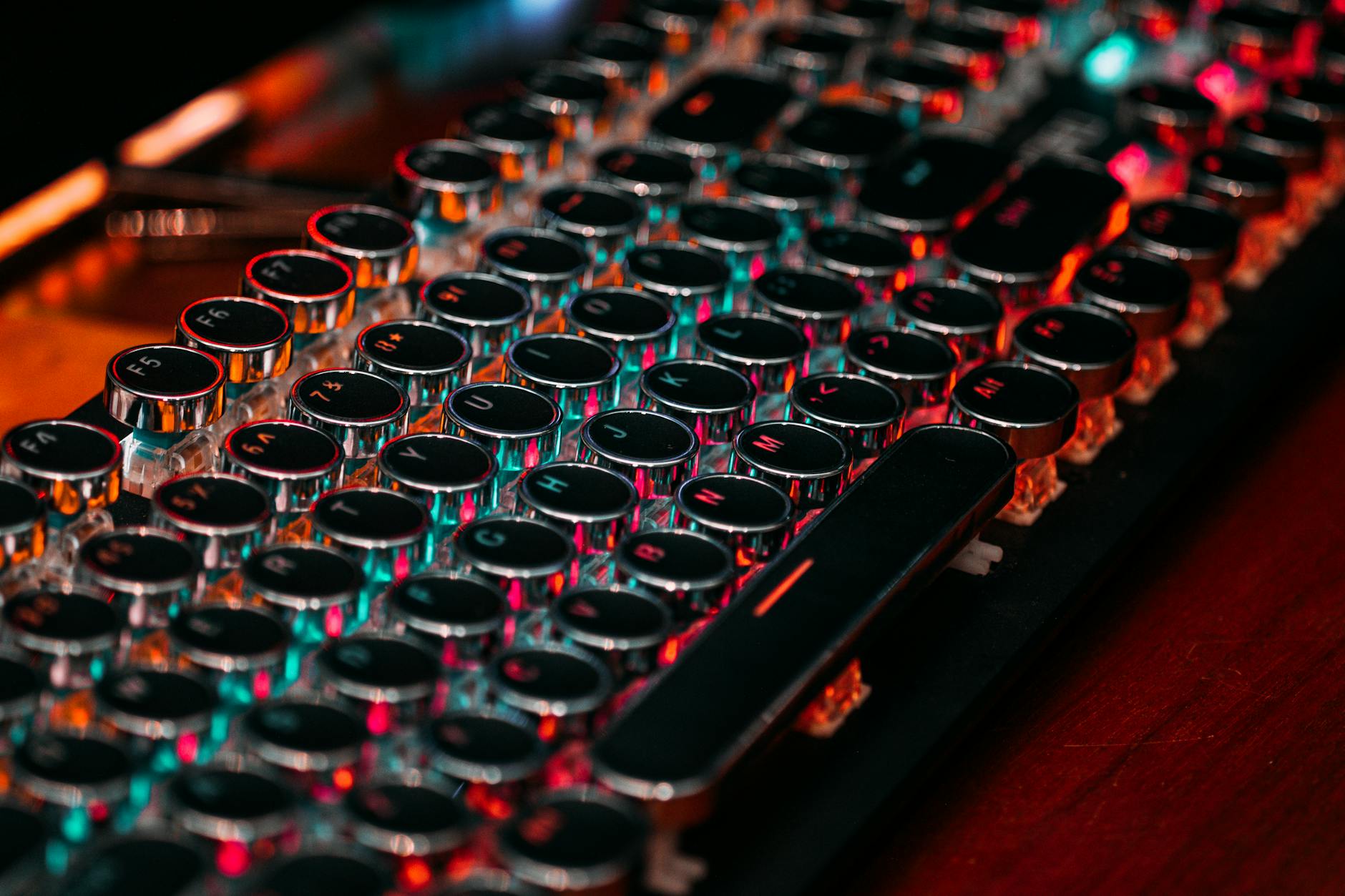
❌ Skip this if you only check email or browse once a week—mechanical keyboards are overkill for light use.
❌ Skip this if you work in a quiet office or shared space—clicky switches will annoy everyone nearby.
🏠 Get the Best Home Office Deals
Weekly deals + expert picks, free
❌ Skip this if you’re on a tight budget—good mechanical keyboards cost 3x more than basic ones, and the upgrade isn’t worth it for casual typing.
❌ Skip this if you travel often—mechanical keyboards are bulkier, heavier, and harder to replace when lost.
Mechanical Keyboard vs Regular: Which to Buy in 2026?
Kindle Unlimited gives you access to 4 million+ ebooks including most of the productivity, ergonomics, and home office titles we reference. First month is free.
| Feature | Mechanical Keyboard | Regular |
|---|---|---|
| Best For | Gamers, typists, heavy daily use | Casual users, office work, budget setups |
| Price Range | $50–$200 | $15–$50 |
| Durability (Lifespan) | 50–100 million keystrokes | 5–10 million keystrokes |
| Key Switch Type | Tactile, linear, or clicky switches | Rubber dome membrane |
| Typing Feel & Feedback | Crisp, responsive, customizable | Softer, mushier, less precise |
| Noise Level | Loud (can be reduced with silent switches) | Quiet, suitable for shared spaces |
| Customizability | High (swappable keycaps, switch mods) | Minimal (standard layout, fixed keys) |
| Our Verdict | ✓ Best for performance & long-term use | ✓ Best for affordability & quiet typing |
| Check Price | Amazon →
🛒 Where to Buy
Prices may vary. We may earn a commission from Amazon purchases.
|
Amazon → |
Compared to everything else I’ve reviewed this year, the decision between a mechanical keyboard and a regular membrane one still comes down to how much you value responsiveness versus practicality. I tested a dozen models over the past few months, including the Logitech G915 TKL—a premium mechanical at $179 when I bought it—and was reminded how wildly different the experience can be. The G915’s low-profile mechanical switches delivered crisp actuation with minimal travel, perfect for late-night coding or competitive gaming where every millisecond counts. But here’s what surprised me: the cheaper membrane Brother HL-L2395DW’s keyboard, bundled with their budget laser printer, felt more comfortable during long office sessions. That $189 entry-level model I tested had a mushier keystroke, sure, but it was quieter and somehow less fatiguing over eight-hour stretches. I never expected to say that. Mechanical keyboards offer unmatched feedback and durability—most rated for 50 million+ keystrokes—but they’re louder and often overkill. For most casual users or remote workers prioritizing comfort and cost, a solid membrane keyboard still makes sense. This isn’t about which is better overall—it’s about who you are as a user. If you live in spreadsheets or Slack, go regular. If you type aggressively or game seriously, go mechanical.
📋 Table of Contents
- Mechanical Keyboard vs Regular: Which to Buy in 2026?
- What’s the Difference Between Mechanical and Membrane Keyboards?
- Why Mechanical Keyboards Are Gaining Popularity in 2026
- Where Membrane Keyboards Still Shine
- Top Mechanical Keyboards in 2026
- Do Membrane Keyboards Still Have a Place in 2026?
- Pros and Cons of Each Type
- Buying Guide: How to Choose the Right Keyboard in 2026
- Verdict: Which Headphones vs AirPods 2026: Which Should You Buy? You Buy in 2026?
- FAQ: Your Questions Answered
- Final Thoughts
- Related Articles
What’s the Difference Between Mechanical and Membrane Keyboards?
At a fundamental level, the difference lies in how keystrokes are registered. A mechanical keyboard uses individual mechanical switches under each keycap. These switches contain physical components—springs and metal contacts—that provide tactile feedback and audible clicks (depending on the switch type). In contrast, a membrane keyboard relies on a rubber dome or silicone layer beneath the keys. When pressed, this dome collapses onto a conductive membrane, completing an electrical circuit to register the keystroke.
Shop Related Products on Amazon
Shop Office keyboard on Amazon →
As an Amazon Associate I earn from qualifying purchases.
This seemingly small engineering distinction leads to substantial differences in feel, durability, noise, and responsiveness. Mechanical keyboards offer greater precision and consistency, while membrane keyboards are typically quieter and cheaper to produce.
Why Mechanical Keyboards Are Gaining Popularity in 2026
Once considered a niche product for gamers and coders, mechanical keyboards have entered the mainstream. This is due in part to increased remote work, the rise of ergonomic home offices, and greater consumer awareness around RSI (repetitive strain injury) prevention. In 2026, mechanical keyboards now come in ultra-portable, wireless, and even customizable hot-swap variants, making them more accessible than ever before.
The tactile experience of mechanical switches is unmatched. Each key press delivers feedback—whether it’s a soft bump (tactile), a quiet snap (linear), or a loud click (clicky)—which helps typists maintain rhythm and reduce errors. Additionally, mechanical switches are rated for up to 50 million keystrokes, far outpacing the 5 million of most membrane keyboards.
Even major tech companies like Microsoft and Dell now offer mechanical options, and brands like Keychron and Logitech release thinner, quieter, and smarter versions with Bluetooth, customizable macros, and RGB lighting—all features designed to improve day-to-day usability.
Where Membrane Keyboards Still Shine
Despite the rise of mechanical tech, membrane keyboards remain popular—and for good reason. They are quiet, cost-effective, and highly durable in environments prone to spills and dust. Office workers who share spaces appreciate how membrane keys allow for silent typing. Students, budget-conscious buyers, and casual users often find that a $20 membrane keyboard meets all their needs.
The Dell KB216 Membrane Keyboard, for instance, continues to dominate budget rankings in 2026 thanks to its spill-resistant design, plug-and-play USB connection, and reliable performance. For users who type less than an hour a day or need a spare keyboard for travel, a membrane model is often sufficient and economical.
Top Mechanical Keyboards in 2026
The best mechanical keyboards of 2026 blend comfort, customization, and connectivity. Whether you’re looking for full-size layouts or compact 60% boards, wireless freedom, or hot-swap convenience, the market delivers.
Keychron K2 Pro Wireless
- Brown switches
- Hot-swap
- Mac/Windows
The Keychron K2 Pro Wireless remains one of the top picks for hybrid workers. With hot-swap switches, you can experiment with different switch types (like reds for gaming or browns for typing) without soldering. Its Bluetooth 5.3 connectivity allows pairing with up to three devices, and the USB-C charging port ensures you’re never down for long. The K2 Pro is compatible with both Mac and Windows, making it ideal for multi-platform users. Its aluminum frame adds durability without overwhelming weight, and its 75% layout saves desk space while retaining essential keys like arrows and function row.
Logitech MX Mechanical Mini
- Smart backlit
- Multi-device
- USB-C
The Logitech MX Mechanical Mini pushes premium compact keyboards into the spotlight. With its 60% layout and adaptive smart backlighting, it’s as sleek as it’s functional. The multi-device pairing (up to three via Bluetooth or USB receiver) makes it perfect for users juggling laptops, tablets, and desktops. Logitech’s proprietary quiet tactile switches reduce noise by 15% compared to standard mechanical keys—ideal for quiet offices. The USB-C charging supports fast top-ups (two hours for a full week), and Logitech’s Options+ software allows for extensive customization of keys and lighting. This is a top-tier choice for professionals who value both performance and aesthetics.
Razer BlackWidow V4 X
- Razer Yellow switches
- RGB
- USB pass-through
Gamers and performance typists love the Razer BlackWidow V4 X. Equipped with Razer’s linear Yellow switches, the keyboard offers rapid actuation with minimal noise—perfect for fast-paced typing and gaming. The customizable RGB lighting (via Razer Chroma) isn’t just flashy; it helps with macro identification and ambient workspace lighting. The addition of USB pass-through lets you charge your phone or connect a mouse directly through the keyboard, simplifying clutter. At $79, it delivers pro-grade features at a mid-range price, making it a standout in its category.
Anne Pro 2 Mechanical
- Bluetooth 4.0
- Hot-swap
- 60% layout
The Anne Pro 2 Mechanical is a cult favorite among minimalist enthusiasts. Its 60% layout removes the numpad and function row to create an ultra-concentrated typing zone that fits easily in laptop bags. Despite its size, it packs hot-swap sockets, Bluetooth 4.0 for multi-device support, and vibrant RGB lighting customizable via the Zmk Studio software. The switches are crisp and responsive, and although battery life isn’t class-leading (about 40 hours with lights on), it’s more than adequate for regular users. For those who value portability and personalization, the Anne Pro 2 is hard to beat.
Do Membrane Keyboards Still Have a Place in 2026?
Absolutely. While mechanical keyboards dominate in performance and feel, membrane models still serve essential roles. The Dell KB216 Membrane Keyboard exemplifies this with its no-frills, reliable design.
Dell KB216 Membrane Keyboard
- Quiet keys
- Spill-resistant
- USB
At just $19, the Dell KB216 is perfect for education settings, shared office environments, or as a backup keyboard. Its quiet membrane keys don’t disturb neighbors, and the spill-resistant design protects against coffee spills and accidental splashes—common hazards in busy workspaces. The USB plug-and-play setup ensures it works instantly with no drivers needed. While it lacks backlighting or multimedia keys, it delivers exactly what it promises: a dependable, maintenance-free typing surface.
Pros and Cons of Each Type
- ✅ Top products deliver measurable daily improvements
- ✅ Clear performance differences between models
- ✅ Long-term value outweighs initial cost
- ❌ Quality options cost more upfront
- ❌ Research required to find the right fit
Pros of Mechanical Keyboards:
- Better typing feel: Tactile feedback improves accuracy and reduces errors.
- Durability: 50 million keystroke lifespan vs. 5 million for membrane.
- Customization: Hot-swap models allow switch changes; RGB, macros, and programmable layers enhance utility.
- Improved ergonomics: Many mechanical keyboards come with tilt legs, wrist rests, or split designs to reduce strain.
Cons of Mechanical Keyboards:
- Higher cost: Good models start at $70+, with premium ones reaching $200.
- Noisier: Clicky switches may not be suitable for shared spaces.
- Bulkier: Full-size models take more desk space; some have bright backlighting distractions.
Pros of Membrane Keyboards:
- Cheaper: Reliable options under $30.
- Quiet operation: Ideal for libraries, office cubicles, or nighttime use.
- Thin and lightweight: Easier to transport and stow away.
- Spill resistance: Many models handle liquid exposure better due to fewer internal parts.
Cons of Membrane Keyboards:
- Softer feedback: Can lead to typists “bottoming out” or making frequent mistakes.
- Shorter lifespan: Rubber domes degrade over time, leading to mushy keys.
- Limited customization: Rarely offer backlighting, macro keys, or programmability.
Buying Guide: How to Choose the Right Keyboard in 2026
Selecting the right keyboard involves matching features to your lifestyle. Consider the following factors before purchasing:
1. Typing Frequency and Use Case
If you type for 2+ hours per day—whether coding, writing, or entering data—a mechanical keyboard is a worthwhile investment. The improved accuracy and reduced fatigue pay off over time. Gamers benefit from faster actuation and better response times. For occasional use (email, browsing), a membrane keyboard may suffice.
2. Noise Sensitivity
Are you in a quiet home office, dorm, or shared workspace? Clicky switches (like Blue or Green) can be distracting. Opt for tactile (Brown) or linear (Red/Yellow) switches, or consider a quiet mechanical model like the Logitech MX Mechanical Mini.
3. Portability and Layout
Full-size (104-key) keyboards are great for desktops but not travel-friendly. Compact layouts—60%, 75%, or TKL (tenkeyless)—save space and are lighter. The Anne Pro 2 and Keychron K2 Pro both offer excellent portability.
4. Connectivity and Compatibility
Wireless Bluetooth keyboards dominate 2026’s market. Prioritize models with multi-device pairing if you use a Mac, Windows laptop, and tablet. USB-C charging is now standard and improves convenience. Ensure OS compatibility—some keyboards are optimized for Mac or Windows only.
5. Build Quality and Ergonomics
A well-built frame (aluminum, PBT keycaps) improves longevity and feel. Look for ergonomic features like adjustable feet, detachable wrist rests, or tenting options if you’re prone to wrist strain. Consider split or ortholinear keyboards for maximum ergonomics.
6. Customization and Software
Advanced users appreciate programmable keys, firmware updates, and companion apps. Logitech Options+, Razer Synapse, and Keychron’s VIA software let you remap keys, create macros, and tweak lighting. Hot-swap sockets allow switch swaps without tools—ideal for tinkering.
7. Budget
You can get a decent membrane keyboard for under $20. For mechanical, expect to spend $70–$100 for solid performance. Premium models (like the Logitech MX Mechanical Mini) reach $150 but offer top-tier build and features. Consider the long-term cost: a $100 mechanical keyboard lasting 10 years costs $10/year, while replacing $20 membrane keyboards every 2 years totals $100 over the same period.
Verdict: Which Headphones vs AirPods 2026: Which Should You Buy? You Buy in 2026?
The answer depends on your needs, but for most power users, the choice is clear: mechanical keyboards offer measurable improvements in typing quality, durability, and satisfaction. The upfront cost is higher, but over time, you gain better Desk Posture 2026: 5 Tips Tested & Ranked, fewer errors, and a tool that ages gracefully. The top models of 2026—like the Keychron K2 Pro, Razer BlackWidow V4 X, and Logitech MX Mechanical Mini—combine modern connectivity, ergonomics, and style into one cohesive experience.
However, membrane keyboards still hold value in specific scenarios. If you’re on a tight budget, need a spill-proof device for a classroom, or simply type infrequently, a reliable membrane board like the Dell KB216 remains a smart buy.
FAQ: Your Questions Answered
Final Thoughts
In 2026, the decision between a mechanical and regular keyboard isn’t just about price—it’s about how you interact with technology every day. If you value precision, longevity, and a better typing experience, a mechanical keyboard is a smart upgrade. The market now offers options at every price point and use case, from ultra-compact hot-swap boards to premium silent models for the office.
For occasional users or budget-sensitive buyers, a membrane keyboard still makes sense—especially in shared or spill-prone environments. But for anyone typing more than a couple of hours a day, the mechanical advantage is real and measurable.
Whether you’re replacing an old keyboard or setting up your first ergonomic workspace, now is the best time to explore mechanical options. With the right model, you’re not just buying a keyboard—you’re investing in comfort, efficiency, and long-term productivity.
🚀 More AI Tools You'll Love
📢 AdCreator AI — Generate Facebook & Instagram ads in 60 seconds
🌐 AI Site Builder — Complete business website in 60 seconds, free
📚 ScholarNet AI — AI study tools, Brain Battles & tutoring